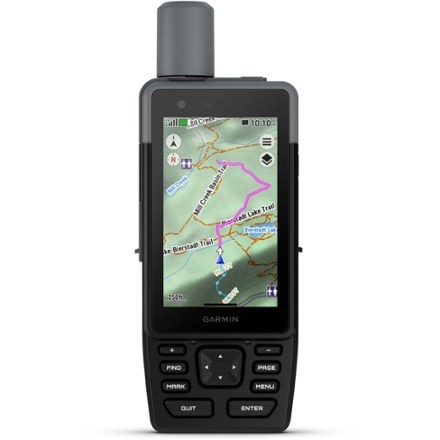
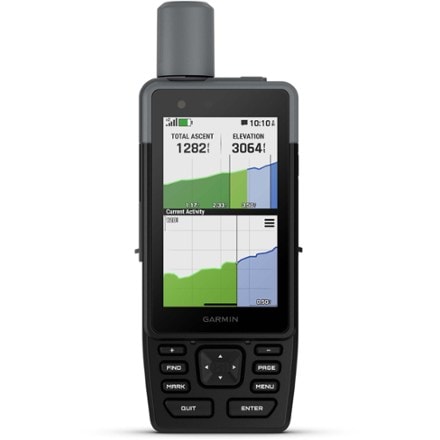
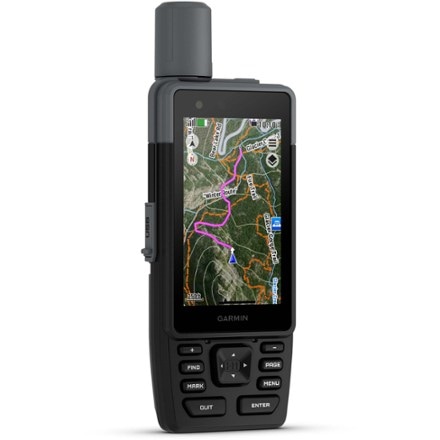
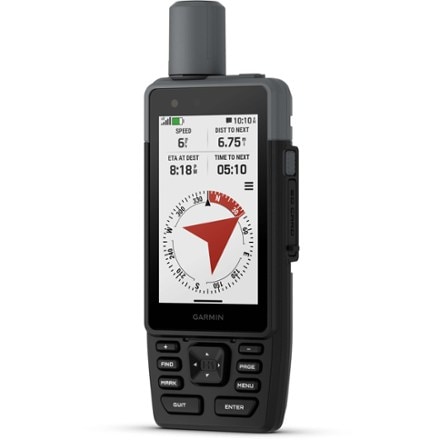
Imported.
Item 825492
| Specification |
| ||||||||||||||||||||||||
|---|---|---|---|---|---|---|---|---|---|---|---|---|---|---|---|---|---|---|---|---|---|---|---|---|---|
| Best use |
| ||||||||||||||||||||||||
| Preloaded map | |||||||||||||||||||||||||
| Basemap | |||||||||||||||||||||||||
| Preloaded geocaches | |||||||||||||||||||||||||
| Wireless communication | |||||||||||||||||||||||||
| OS compatibility | |||||||||||||||||||||||||
| Camera | |||||||||||||||||||||||||
| Display size | |||||||||||||||||||||||||
| Screen Pixels | |||||||||||||||||||||||||
| Touch screen | |||||||||||||||||||||||||
| Visual map display | |||||||||||||||||||||||||
| Color screen | |||||||||||||||||||||||||
| Number of routes | |||||||||||||||||||||||||
| Number of waypoints | |||||||||||||||||||||||||
| Internal memory | |||||||||||||||||||||||||
| Expandable memory | |||||||||||||||||||||||||
| Compass | |||||||||||||||||||||||||
| Altimeter | |||||||||||||||||||||||||
| Compact antenna | |||||||||||||||||||||||||
| Position accuracy | |||||||||||||||||||||||||
| Batteries | |||||||||||||||||||||||||
| Average battery life | |||||||||||||||||||||||||
| Dimensions | |||||||||||||||||||||||||
| Weight |
REVIEW SNAPSHOT®
by PowerReviewsPros
Cons
Best Uses
Reviewed by 4 customers
Sort by
Displaying reviews 1-4
Pros
Cons
Best Uses
Comments about Garmin eTrex 30 GPS:
I bought the ETrex 30 to replace my Vista HCx that is getting frayed around the edges. So, I naturally compared this to the Vista.
The ETrex 30 is a worthy replacement to the Vista. It has a different menu system, so it is not initially intuitive for those who have used earlier ETrex models. Now that I've learned the new menus, I think they are an improvement and are easier to use.
The ETrex 30 has an astonishingly short start up time (once it has initialized and knows where it is at). It is the first GPS I've owned that seems to be ready immediately after pushing the power on button. Garmin says this is the first GPS they've produced that looks at the traditional USA satellites, and also the Russian GLONASS satellites. Maybe this helps. In any case, start-up is rapid.
During a recent trip to southern Utah, the ETrex 30 was able to receive signals in the Zion Park Virgin River narrows and other slot canyons. It easily gets signals indoors including buildings that have metal frameworks. I have not experienced signal loss, except in automobile tunnels through mountains.
The ETrex 30 has a profile system that is new to ETrex (but has appeared on other Garmin products). The profiles enable you to customize the ETrex 30 for different uses. I've set mine up for Auto, Hiking, and Bicycling. Each profile uses its own settings on menus and settings, so you don't see irrelevant screens and data. Data accumulation is shared, however. I do wish that the data accumulation was separate for each profile so that the trip computer was separate for each profile -- Auto, Hiking, and Bicycling.
The ETrex 30 has a good amount of internal memory and can also acccept an SD memory card. This can be useful for storing more than one map type. I downloaded topo maps to the internal memory, inserted a Garmin North American NT map card into the SD socket, and have both highway and topo maps installed. My profiles are set up to display the topo maps in the Hiking profile and the highway maps in the Auto profile. Pretty nice...
The User Guide is similar to the Nuvi guides -- simple and less than complete. A User Guide for dummies. I wish that it came with the comprehensive guide that earlier ETrex models provided. I called Garmin support several times to get questions answered that I think should have been in the User Guide. Example: How many archived tracks will the ETrex save?
In all, this is a great GPS. It is so good that my Nuvi will probably see limited use in the future. Why carry two GPS units when one (the ETrex 30) can do it all???
Pros
Cons
Best Uses
Comments about Garmin eTrex 30 GPS:
I have gone through several GPS units (Magellan Meridian, Garmin Vista, etc and of all of them this has been the best in terms of a balance of fuctions and features. Garmin still needs to put some polish on the basemap as even at a 10' accuracy the points on the basemap are as much as 800' off...so you MUST either buy Garmin maps or find free (there are ways to do it) maps to load to the unit. Once you do that, it is SWEET. Takes less than 15 seconds to boot, locks in to a 10-20' accuracy in about 60 seconds or less, has more features that I typically need or use, the interface can be customized with changes to the order of icons for the applets, profiles, map and screen data, etc. If you are a geocacher, then you will love the easy sync with gpx or sites that have the Garmin plugin support setup or just send them via the USB. Batter live with standard alki batteries has been 18-35 hours total use and i have litiums and after 20+ hours so far they are only 1 level down on the meter....all in all this is and will be my favorite GPS for a long time to come.
Pros
Cons
Best Uses
Comments about Garmin eTrex 30 GPS:
I like it, without any real complaints for the pricepoint. Just shop for a good price.
Pros
Cons
Best Uses
Comments about Garmin eTrex 30 GPS:
It is big surprise to me showing all the map in the world.
Though it is not so precise but it is almost usable for travel by automobile in Japan. I don't feel any wish to purchase another detail map for my lovely eTrex 30.
Displaying reviews 1-4
* Intermediate markdowns may have been taken.
How are we doing? Give us feedback on this page.
FREE U.S. STANDARD SHIPPING on orders of $50 or more.
Shop THE REI ANNIVERSARY SALE May 18–28. Plus, members SAVE 20% on one full-price item with coupon code REIANNV. Details