The REI Member Dividend
The REI dividend is a unique benefit of membership in the REI co-op. It's comprised of your member refund—typically 10% back on eligible purchases—and/or your REI Visa® card rebates.
Each March, active REI members and REI Visa cardholders who earned a rebate receive a refund in the form of an annual dividend notice.
Only active members receive annual dividend notices. To maintain your active status as an REI member, you need to make net merchandise or shipping purchases of at least $10 per year, unless you joined that year. Member numbers are issued in one name and only that person receives the member refund. Your number can be used by others in your family, but it cannot be transferred to someone else.
Questions? Call us at 1-800-426-4840 for more about your dividend or its redemption.
This item may be available in your local REI store.
FREE U.S. STANDARD SHIPPING Through February 20. No minimum purchase! Learn more
Imported.
Item 807089
| Specification |
| ||||||||||||||||||||||||||
|---|---|---|---|---|---|---|---|---|---|---|---|---|---|---|---|---|---|---|---|---|---|---|---|---|---|---|---|
| Best use |
| ||||||||||||||||||||||||||
| GPS tracking | |||||||||||||||||||||||||||
| Heart rate display | |||||||||||||||||||||||||||
| Target zone indicator | |||||||||||||||||||||||||||
| High/low target heart rate | |||||||||||||||||||||||||||
| Auto start/stop | |||||||||||||||||||||||||||
| Current speed | |||||||||||||||||||||||||||
| Maximum speed | |||||||||||||||||||||||||||
| Average speed | |||||||||||||||||||||||||||
| Illumination | |||||||||||||||||||||||||||
| Odometer | |||||||||||||||||||||||||||
| Trip distance | |||||||||||||||||||||||||||
| Speed comparator | |||||||||||||||||||||||||||
| Cadence | |||||||||||||||||||||||||||
| Altimeter | |||||||||||||||||||||||||||
| Temperature | |||||||||||||||||||||||||||
| Dual bike memory | |||||||||||||||||||||||||||
| Exercise log | |||||||||||||||||||||||||||
| Clock | |||||||||||||||||||||||||||
| Alarm | |||||||||||||||||||||||||||
| Stopwatch | |||||||||||||||||||||||||||
| Countdown timer | |||||||||||||||||||||||||||
| Lap timer | |||||||||||||||||||||||||||
| Wireless | |||||||||||||||||||||||||||
| Batteries | |||||||||||||||||||||||||||
| Low battery indicator |
REVIEW SNAPSHOT®
by PowerReviewsPros
Cons
Best Uses
Reviewed by 12 customers
Sort by
Displaying reviews 1-10
Previous | Next »
Pros
Cons
Best Uses
Comments about Garmin Edge 500 Wireless Bike Computer:
I got this unit to upgrade the tracking of my workouts and to start using a heart rate monitor to get more out of the time I was spending exercising.
I was wary of plunking out the bucks for this because there are plenty of stories of the unit not working very well. It seemed from reviews it was great or it was worthless depending on the luck of the draw. So I made sure to buy it from a place with a very liberal return policy.
Overview
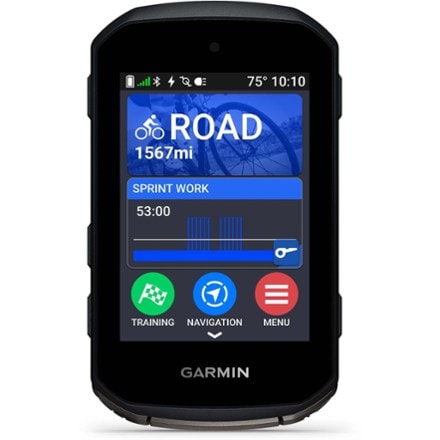
This is the first GPS enabled unit that I've seen that was small enough for me to mount on my bike and not have it mistaken for a PDA or Smart Phone. It is optimized for biking.
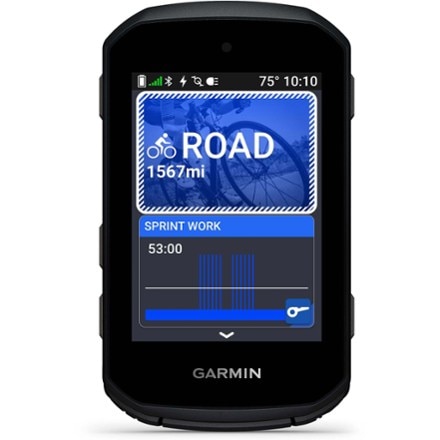
The overall construction seems pretty good. The unit seems well sealed, has a large screen and a nice backlight.
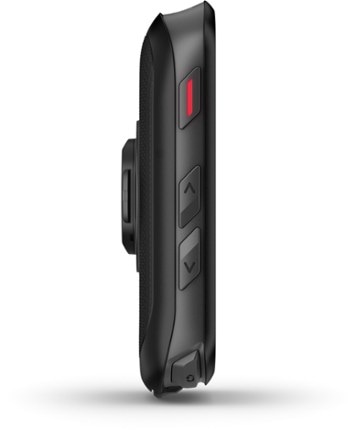
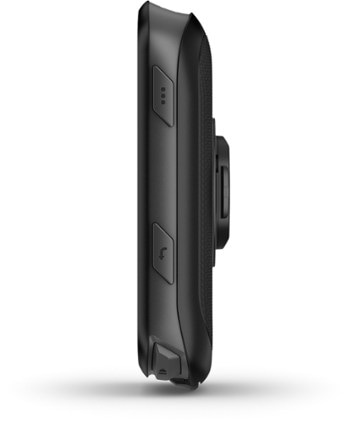
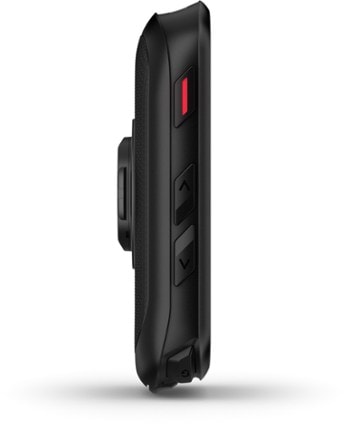
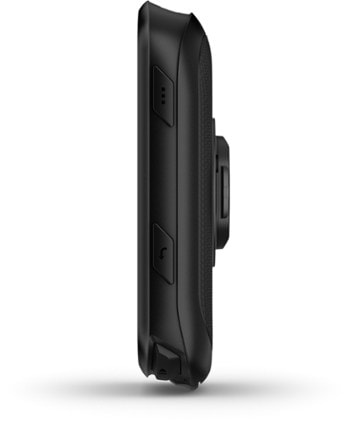
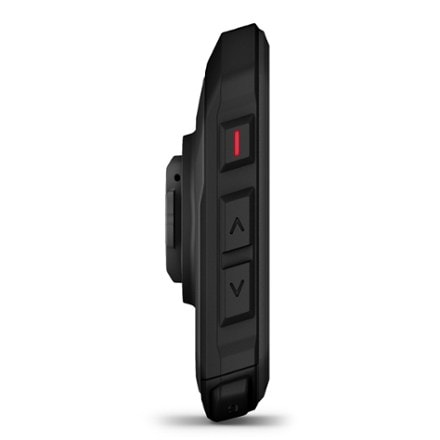
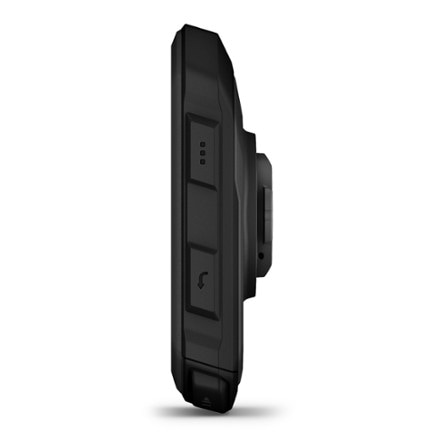
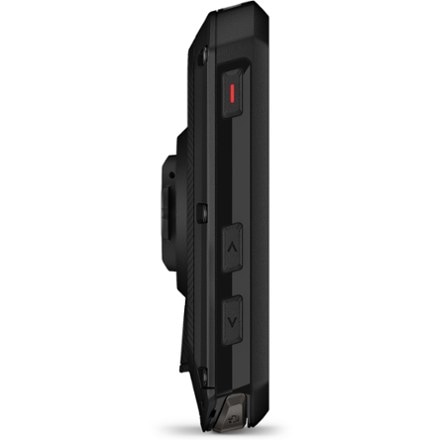
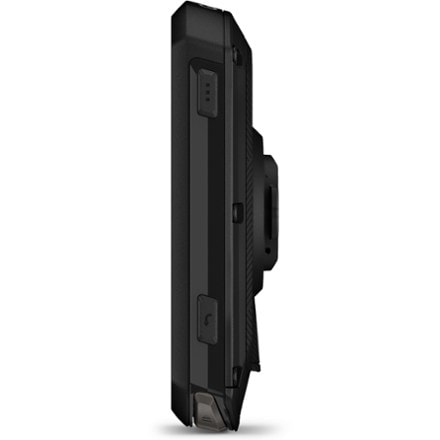
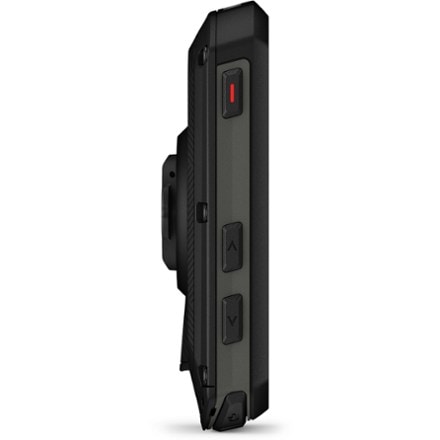
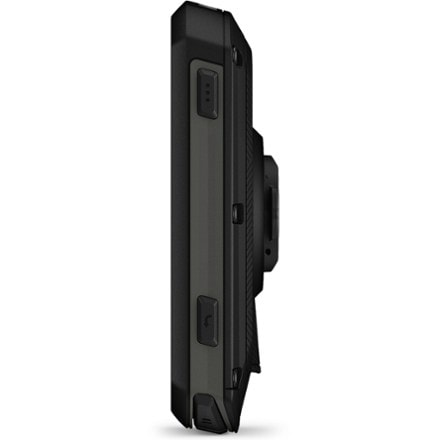
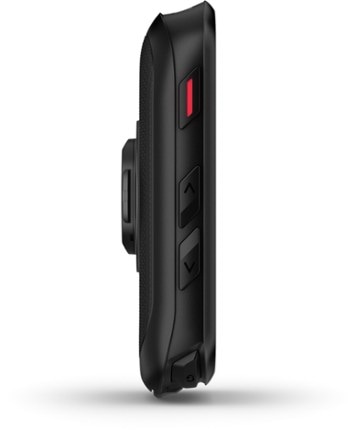
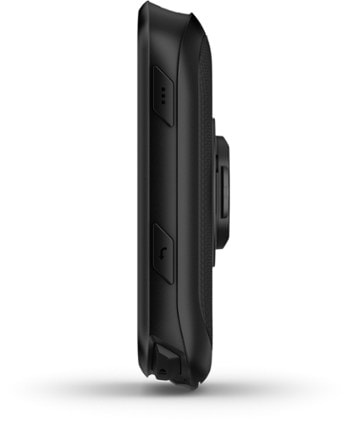
There are 4 control buttons, two on each side. The buttons on the left generally activate or conform menu items, the buttons on the right are used for navigation. The buttons require a firm press and have a muted click, you won't be hitting them accidentally. Actually trying to hit them while riding is a tad difficult.
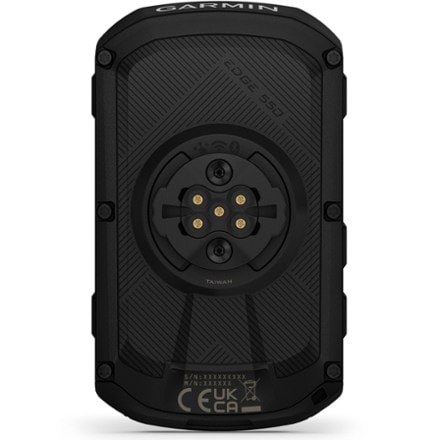
Underneath at the bottom of the unit there is a rubber stopper that plugs a mini-usb port. This port is used for data transfer as well as charging.
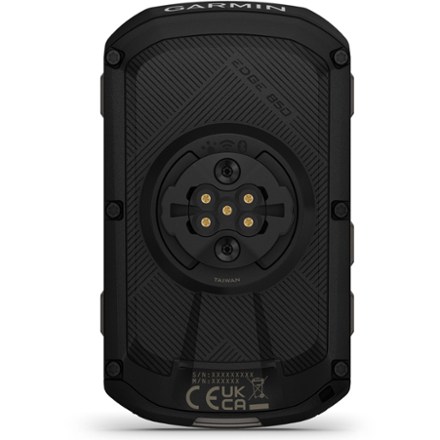
The mount is simple and awesome. There is a base piece with a formed rubber pad that goes beneath it. There are four hooks on the mount and you get a bag full of elastomeric gasket seal like rubber bands. You simply put the base piece where you want it and hook the band to one hook, stretch it around your bar/stem and hook it to the hook on the other side. Two bands and your done. Clicking the unit in is easy, press it in and rotate 90 degrees. The mount is secure, flexible and easy, I can't believe that more bike items don't use this mount, it really allows me to put it places I could never think of. On one of my bikes the handlebars were taken up with lights but I am able to put this mount ON TOP OF a Bike Planet safety light which is cylinder shaped. Clamps on with no problem. On my other bike I have it attached to the basket mounting bracket, good luck at doing that with any other mount. If only all mounts were this good. The unit comes with two complete mounts standard.
The battery is an integral Li-ion unit that is not user accessible or replaceable. Its supposedly good for up to 18 hours and has a charge % listed. I ran it for 2.5 hours with occasional backlight use and it went from 100% to 87%. The battery can be charged with the included adaptor or from a computer USB port.
Some people criticize the unit for not having a replaceable battery. I don't think that's such a big deal, the life is long, the battery will last for years before needing replacement. When you consider how much power these units usually use if ran on CR-2032's or other similar batteries you'd rack up quite a battery bill over the life of the unit and it wouldn't be nearly as well sealed. The size of the unit would rule out AA or AAA's without making it much bigger.
Features
The unit has a lot of features, it records more data than you know what to do with. It has support for external heart monitor and cadence sensor. You can read the specs to see all the stuff it records.
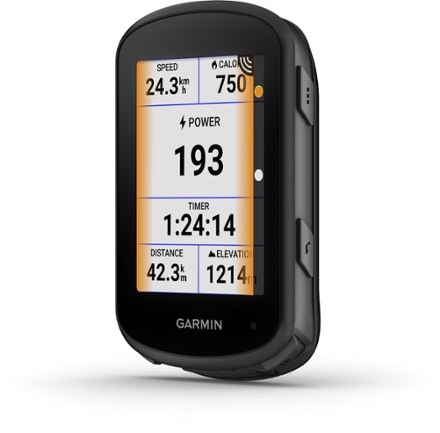
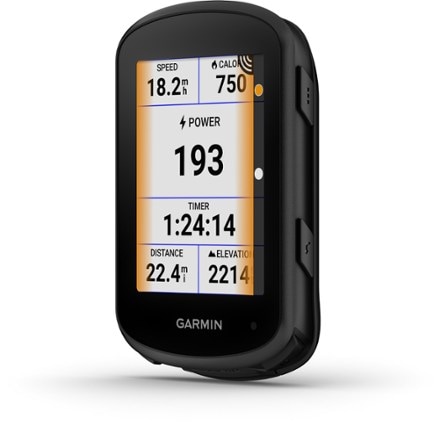
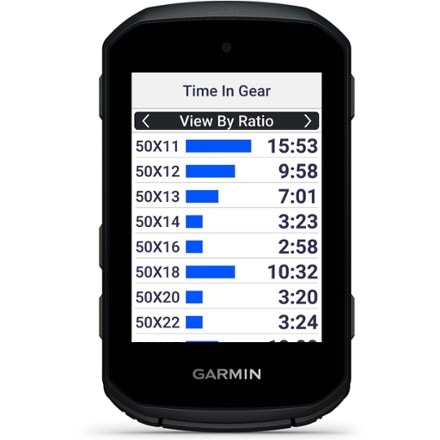
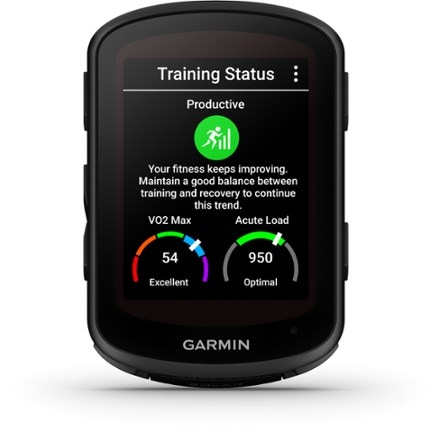
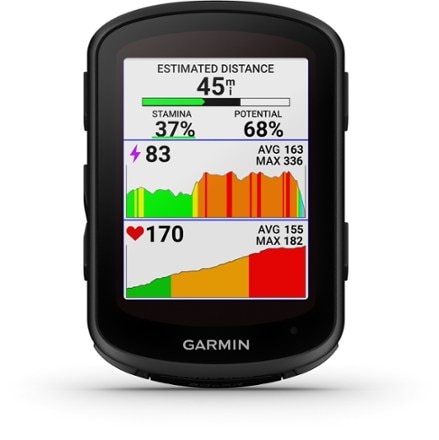
What is really nice is that you have three possible screens to look at. Each screen can be configured with whatever information you want. You can select to display anywhere between 1 and 8 pieces of information. 5 seems to be optimal in that you can get a large amount of screen space for your single most important info and then 4 smaller bits in other boxes. Each time you switch screens the backlight comes on which is great at night (this can be turned off).
The process for choosing info is not exactly intuitive or friendly but it works after you figure it out (hint>Bike settings>Data fields).
To get more accurate calorie count you will need to enter some data about yourself (height, weight, age etc). Don't forget your bike information, the weight of your bike probably affects it as well.
Use
Using the unit on the ride is easy enough. Turn it on, it boots up in a few seconds and has your satellites locked shortly thereafter. Usually less than 10 seconds. Being GPS based you don't need to program in wheel size or mess with sensors. Its easy to transfer from bike to bike and can hold 3 bike profiles.
I have the auto pause turned on so I hit start and then ride without worry. At the end of the ride I hit stop. You won't "accidentally" clear your data because you have to press and hold the clear button for 3 seconds and it shows you a countdown.
Computer Interface
One of the big features of a unit like this is the ability to download and examine your exercise data. The unit doesn't ship with any software but Garmin provides two utilities for free. There is the Garmin Training Center Software free to download from their website. It serves as a basic organizer downloader/uploader. It doesn't have all the analysis tools and its Maps are pretty anemic at best. The nice part however is you can transfer your data to Google Earth (if installed) which displays your data on a Google earth map. You can "play" your animation as well as look at each of your data points. If you right click on the path and choose Elevation Profile you get additional options for examining elevation and grade.
There is also the Garmin Connect Website that lets you upload your data to Garmins website. They have better graph and analysis tools. In addition to having your data stored online you can also send the link to others to share your data which is nice.
Accuracy & Reliability
Horror stories about the accuracy (or lack their off) and the unit freezing up or flaking out were pretty scary. One thing that I did before I ever used the device was fully charge the battery and then get the latest firmware update from the Garmin Website. There were a LOT of issues that we fixed. If you look at the revision history its wonder they let the thing out the door with that many issues. Installing the firmware involves downloading a program which then loads info into the unit. After that when you turn the unit on it compiles the new firmware into it over the period of a few minutes and then is ready to go.
I'm happy with the results. It's as accurate as most consumer grade GPS units. Accuracy of course varies with time and location. If I look at my track on Google Maps sometimes I can see what side of the road I was going down and how I zigged and zagged going up a large hill. Other times it has me biking through everyone's front yard. I'd say its off by 20 feet in one direction at worst which is not bad when your riding miles.
Elevation is a bit spotier, largely because the variance is much less. Plus or minus 20 feet on 20 miles is nothing, plus or minus 20 feet on 200 ft elevation is a lot. I've seen elevation swings as much as 50 feet at any one point but it averages out of a lot of data points. If you want to know what the exact elevation is at any one point you may be disappointed until you take multiple samples. But if you are looking for a pretty good record of the changes in your overall miles long ride it is sufficient. Also in my experience this varience in elevation is not unique to this unit. Every GPS unit I've used has had similar issues.
Temperature is another area of questionable accuracy. If you hold the unit for any length of time over 30 seconds its going to heat up. Same if exposed to direct sunlight. It doesn't seem to refresh the temperature that often. Seems to heat up fast, cool off slow.
Other Uses
While this is technically a Bike Computer with its ability to sync with Heart Rate Monitors there really isn't a reason you couldn't use it for other outdoor sports as well. You'd just have to make sure you have a place to hold it that it can receive signal.
To Recap
Pro's
Excellent Mount
Very Flexible in utility
Long Battery life
Very configurable
Lots of information
Cons
Not Very Friendly Interface
Buttons Hard to Push
Doesn't seem to have a indicator if you are going below, at or above average.
Associated Software is lacking
Bit of a learning curve to figure out all the quirks.
Conclusion-
An excellent device that takes the concept of a bike computer to a new level. Provides all sorts of information before and after the ride that you can find useful. If you've got the cash I'd recommend it.
UPDATE - Heart Rate monitor
I got the Garmin Comfort Strap Heart Rate monitor. After going back and telling the unit that I had a HRM it picked the monitor up almost instantly and has worked great. The only Gotcha (aside from having to reconfigure you screens to include HRM data) is that having the HRM active does drain the battery. I don't have any solid numbers but 2x as fast would be a reasonable estimate.
Service and delivery comments:
Bought it in store at REI.
Pros
Cons
Best Uses
Comments about Garmin Edge 500 Wireless Bike Computer:
This product, on paper, is a dream. Trouble is, it doesn't work, and will not work, and Garmin customer support can not make it work - don't waste your money. The garmin support forum, cycling forums, and my personal experience have shown me that the device is buggy, randonmly freezes, loses data, and that many features (using the lap button, courses, auto-pause, etc. ) that are advertised cause the unit to malfunction. Garmin support told me that I have to send my unit in, wait 2+ weeks (I ride daily), and they would "repair" it. They have no option to send a correctly functioning unit and have you send in the bad one. While many don't mind 2+ weeks, I don't believe I should have to wait 2 weeks without a device while they try to fix it. Does garmin have to return my [$] for 2 weeks?I am ashamed I gave Garmin my hard-earned money, don't follow in my footsteps.
Pros
Cons
Best Uses
Comments about Garmin Edge 500 Wireless Bike Computer:
I first bought the Cateye Adventure cyclometer but realized that the display was virtually unreadable when mounted at an angle on my stem. I returned it before even installing it. No matter how good a computer is, it is totally useless if you cannot read it. Zero stars for that one lol.
The screen on this Garmin is clear and easy to read while cycling in both sunny and cloudy conditions.
I bought this cyclometer 5 months ago because it has some unique features that most other cyclometers don't have, such as readouts for altitude, % grade, temperature and it can also give you your heart rate and cadence if you buy optional accessories. I have bought both accessories. Heart rate is awesome, but I don't use cadence as much. The other unique feature is a rechargable Lithium-ion battery, so no more buying expensive watch batteries. The heart rate and cadence accessories however do require batteries, but those last much longer because they only send out signals. Because it is GPS-based, it is also totally wireless. It has 3 scrollable screens each of which can be FULLY customizable and display from 1 to 5 statistics on a screen.
Some people don't like the handlebar mount, but I think it is well designed with easy attachment / detachment of the unit. This is important because you have to link the unit via mini USB cable to your computer to download the data. The data is synced to the Garmin Connect web site and displays all the data in a clear, easy to read format. It overlays your rides onto Google Maps and includes a virtural player which traces your ride on the map while displaying statistics, such as your speed, altitude gain, heart rate, cadence and temperature.
The only negative comment I have on the unit is its inaccuracy on reading your heart rate at the beginning of rides. Sometimes,it shows wildly high readings of 250 bpm. I would be dead if my heat rate actually went that high, lol. After several minutes of riding, it calms down and eventually gives accurate readings.
I would still buy this same unit today if I were looking for a good cyclometer that keeps track of all your ride statistics online. It is more expensive than the competition, but its unique features well make up for the extra cost.
Pros
Cons
Best Uses
Comments about Garmin Edge 500 Wireless Bike Computer:
This device does all a cyclist needs. Heart rate monitor, cadence, power it's all in there although the sensors are sold separate. You can pick how much data to view per screen and it's easy to scroll to the next screen. I really like the thing. 4 stars because It's only two weeks old.
Pros
Cons
Best Uses
Comments about Garmin Edge 500 Wireless Bike Computer:
I had nearly finished a fairly long review of the Edge 500, hit the wrong key, and blew it all away, so this 2nd effort will be short.As a retired racer, I've gone through a lot of cycling computers, and I've never seen anything to match the Edge 500. It will not tell you to navigate from point A to B, but it will provide you with an unbelievable amount of data on how well you did getting there. Create courses and workouts that you can compare to your current ride in real time. Ever seen %grade and climbing rate displayed in real time?The Edge 500 is not cheap, but if you're a serious rider who wants more than the speed, time and distance you get on a [$] cycling computer, this is it!
Pros
Cons
Best Uses
Comments about Garmin Edge 500 Wireless Bike Computer:
I bought this computer after comparing features of others at REI and reading the reviews. It's easy to use and suits all my needs. The web application at connect.garmin.com is a plus - all your ride data is uploaded and you can compare between rides. I've used it for commuting, and it's nice to be able to visually compare ride data from the same route and compare changes in performance.
The only quirky features I've found are:
-If you don't pair the sensors on initial start-up, pairing the speed/cadence sensor can be tricky. I had to try 3 or 4 times before the sensor paired with the computer - no problems since (did not apply to the heartrate sensor - this paired immediately). (Once paried, the computer always recognizes the sensor if it's in range).
-I bought the computer with the Garmin heartrate and speed/cadence sensors as a package. The Garmin speed/cadence sensor is finicky to install (5 mm is the tolerance for clearance between the cadence sensor and the crank arm magnet and the speed sensor and the spoke magnet). I have the body for the cadence sensor tilted at about a 20-30 degree angle in order to get it close enough to the crank arm for the sensor to read, and the arm with the speed sensor is at its most extended point in order to be close enough to the spoke magnet for the sensor to work. Bike is a Trek 7300 Hybrid.
Accuracy is great. On circuits, Elevation loss = elevation gain within 1% or 2%, and route from the website is 100% accurate. I agree with another reviewer that Google maps would be a better choice than Bing for Garmin (some local trails are not shown on Bing, but are shown on Google).
Service and delivery comments:
Delivery was exactly as stated in the estimate. The product arrived in a new package in perfect condition. Outside packaging was in excellent condition.
Pros
Cons
Best Uses
Comments about Garmin Edge 500 Wireless Bike Computer:
This computer is easy to use, it tracks all your data. You can view your rides in 3d online. No wheel size changed between bikes...fantastic
Pros
Cons
Best Uses
Comments about Garmin Edge 500 Wireless Bike Computer:
Looks like all the reviews are from 2010, so here's an update from mid-2011. Bought the unit in Feb. 2010, I now have 150+ rides and BC skiing trips logged on my Garmin Connect page. Mostly road, 1/4 MTB, ten or so BC skiing jaunts.
Why I would buy this unit again: Lots of data displayed in an easy-to-use and interpretable manner, both while cycling and at home. It's made me a much better cyclist because I can precisely calibrate my effort with how I feel during and after. Very lightweight unit. The charge seems to last 16+ hours (I used it for 14 hours on last years' Death Ride and it still had 20%).
Negatives cited by others: Yes, the device was prone to freezing last year. Haven't had any issues in 2011. Accuracy: The same loop will generally give me a cumulative elevation change of +/-3%. That's pretty darn good IMHO. Finally, Garmin should make their Web interface non-Flash to be more iPad/iPhone friendly.
Pros
Cons
Best Uses
Comments about Garmin Edge 500 Wireless Bike Computer:
It is very easy to mount on my bike. Easy to set up and also easy to upload on the computer at Garmin.connect. My one complaint is the thermometer is not accurate. I have already recommended it to several friends.
Pros
Cons
Best Uses
Comments about Garmin Edge 500 Wireless Bike Computer:
I couldn't believe how accurate the GPS is. I went on the maiden ride and deviated to a bike path about 50ft parallel to the road. The garmin found that I was off course.
I also love the upload of data to garmin-connect. I am a tech junkie and love the data analysis. I don't believe you can go wrong; I would recommend the bundle though to make it really complete!
Displaying reviews 1-10
Previous | Next »
How are we doing? Give us feedback on this page.
FREE U.S. STANDARD SHIPPING No minimum purchase!
THE REI WINTER CLEARANCE: SAVE UP TO 50% On selected ski, snowboard and end-of-season clothing & gear. Shop early for the best deals