REI.com
  • Online: www.REI.com
  • URL for this product:
  • From the U.S. and CanadaCall 1-800-426-4840
  • Mon. through Sun., 4 a.m. through 11 p.m. PT.
  • InternationalCall 1-253-891-2500
  • Mon. through Sun., 4 a.m. through 11 p.m. PT. English language only.

Garmin Oregon 450t GPS

This item is currently sold out or unavailable online.

Or, may we suggest shopping for similar items:

Shop more Handheld GPSShop more Garmin

This page is provided for reference to historical product information.

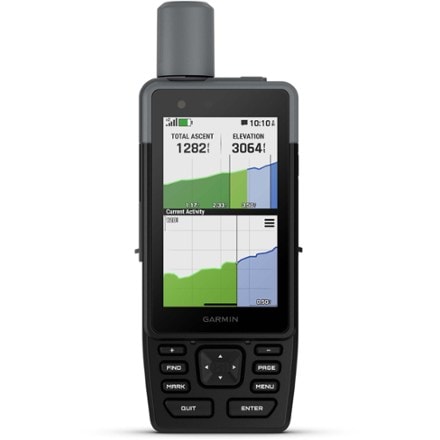
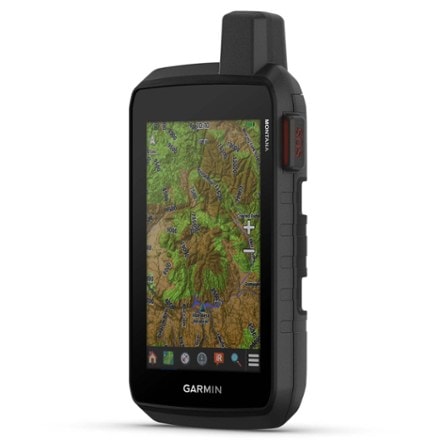
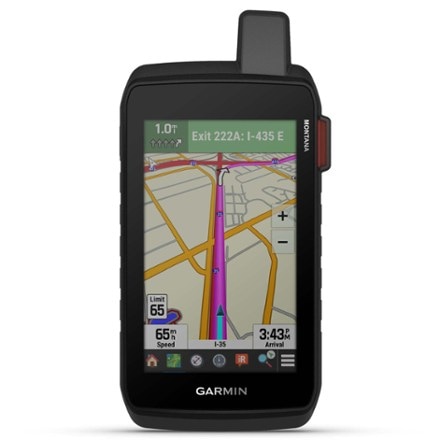
With a 3-axis compass, enhanced display, touchscreen interface, spectacular trail mapping and geocaching, the Garmin Oregon 450t offers a fun and easy GPS experience.

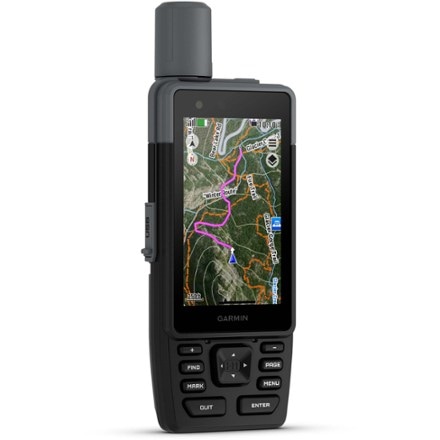
  • Preloaded topographic maps serve up vibrant 3D ''walk the trail'' mapping and Worldwide Digital Elevation Model (DEM) basemap with shaded relief
  • Enhance your view and understanding of your surroundings by adding Garmin BirdsEye Satellite Imagery (annual subscription card sold separately)
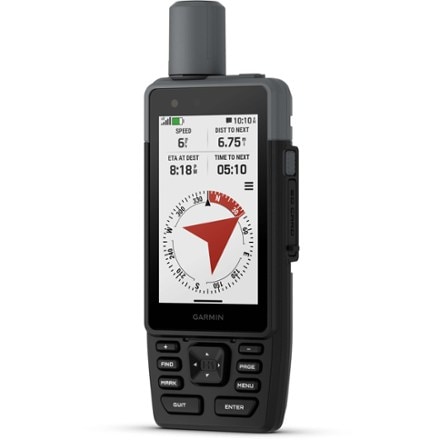
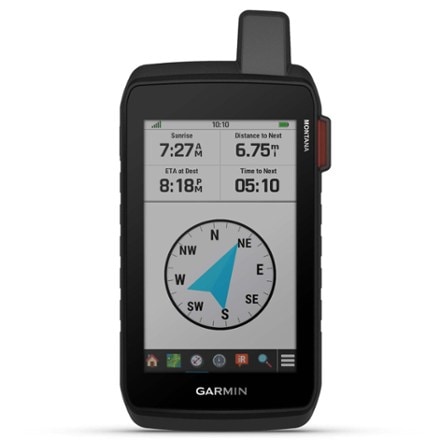
  • 3-axis compass features 3 magnetic sensors that provide precise angle compensation, magnetic field correction and automatic terrestrial magnetism compensation
  • Map details include national, state and local parks and forests, terrain contours, elevation information, trails, rivers, lakes and points of interest
  • Enhanced, sunlight-readable screen offers crystal-clear colors and high-resolution images
  • Easy, intuitive touchscreen operation is fun and simple to use
  • Waterproof MicroSD™ card slot for storing additional data; accepts Garmin MapSource® and BlueChart® data cards and software
  • Built-in barometric altimeter provides additional navigational aid
  • Supports OpenCaching.com GPX files for downloading detailed geocache descriptions, terrain, difficulty and hints directly into GPS unit; visit OpenCaching.com to start!
  • Groundspeak's Wherigo Player application comes pre-installed and includes an instructional tutorial; learn more at www.wherigo.com
  • Basemap with 850 MB built-in memory stores up to 1,000 waypoints, 200 routes and 20 tracks with up to 10,000 points; Digital Elevation Model shading enhances map view
  • Enjoy effortless sharing of waypoints, tracks, routes and geocache locations between Oregon and Colorado series units with ANT wireless communication function
  • High sensitivity receiver and HotFix™ satellite prediction provide rapid first fix and help maintain signal, even in urban canyons and under dense foliage
  • WAAS (Wide Area Augmentation System) enabled receiver delivers accuracy to within 10 ft. in North America
  • Offers configurable profiles for end use—auto, marine, recreation, fitness or geocaching
  • Operates on 2 AA batteries (sold separately)
  • Rugged, waterproof construction protects unit from bumps, dust and moisture; meets IEC 60529 lPX7 standards (can be submerged 1m for up to 30 minutes)
  • Compatible with Garmin heart rate monitors and GSC 10 Speed and Cadence Sensor, sold separately
  • Features JPG image viewer, outdoor GPS games, hunt/fish calendar and sun/moon/tide data
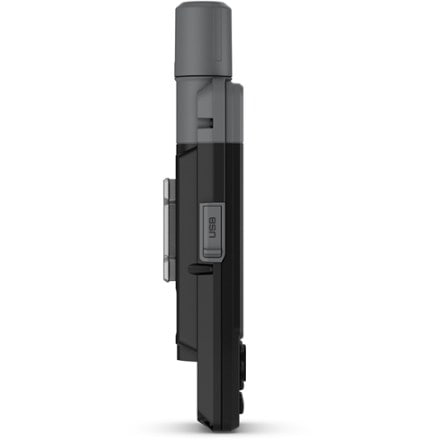
  • The Garmin Oregon 450t GPS includes USB interface cable and carabiner clip

Please note: Garmin products can only be shipped to U.S. addresses.

Imported.

Item 798880

REI Membership

Garmin Oregon 450t GPS Specs
Specification
Description
Best use
Hiking
Topo
Yes
No
Yes
Windows / Mac
No
2.55 x 1.53 inches
400 x 240
Yes
Yes
Yes
200
1,000 and 1,000 geocaches
Expandable microSD card slot
Yes
Yes
Pressure-based
High-sensitivity
WAAS-enabled 3 meters
2 AA
16 hours
4.5 x 2.3 x 1.4 inches
6.8 ounces
Preloaded map
Basemap
Preloaded geocaches
Wireless communication
OS compatibility
Camera
Display size
Screen Pixels
Touch screen
Visual map display
Color screen
Number of routes
Number of waypoints
Internal memory
Expandable memory
Compass
Altimeter
Compact antenna
Position accuracy
Batteries
Average battery life
Dimensions
Weight

Garmin Oregon 450t GPS Customer Reviews

REVIEW SNAPSHOT®

by PowerReviews
Garmin Oregon 450t GPS
 
3.8

(based on 24 reviews)

79%

of respondents would recommend this to a friend.

Pros

  • Accurate (20)
  • Quick navigation (18)
  • Great reception (17)
  • Quick signal (14)
  • Intuitive menu (13)

Cons

  • Short battery life (8)
  • Hard to read (6)

Best Uses

  • Hiking (21)
  • Geocaching (9)
  • Cycling (7)
  • In car (5)
  • Hunting (3)
    • Reviewer Profile:
    • Enthusiast (13), Power user (6), Casual user (3)
    • How are you with directions:
    • Great w/directions (18), Bad w/directions (4)
    • Was this a gift?:
    • No (15)

Reviewed by 24 customers

Sort by

Displaying reviews 1-10

Back to top

Previous | Next »

(1 of 1 customers found this review helpful)

 
4.0

Garmin Oregon 450t

By bnjmnwtt

from Sioux Center IA

About Me Casual User

See all my reviews

Verified Buyer
Site Member

Pros

  • Accurate
  • Extensive Base Map
  • Quick Navigation
  • Quick Signal
  • Reliable Reception

Cons

  • Hard To Read
  • Short Battery Life

Best Uses

  • Cycling
  • Geocaching
  • Hiking
  • In Car

Comments about Garmin Oregon 450t GPS:

I thought I would use this GPS for a few weeks and give a good detailed review. The 450t is a great GPS, the topo part is what I wanted most in a GPS since I do alot of trail blazing. This also had alot of extras I wasn't expecting it to have. You can pull up a map and zoom in and even if you're going down the road it will have exit's on the interstates, town names, where churchs are, historical points, etc. It also has a great knowledge of where even the tiniest creeks are that might have water in them.

The negatives to this GPS is the batteries won't last long if you are continually having the screen lit. It will automatically go dark when not touched for a few seconds. The less you have the screen on the longer the battery life. I took mine with me on a road trip from IA to west montana, I drove non-stop and only check/played with the GPS about 8 times and the batteries lasted 22 hrs. I also had the screen on for a constant 6 hours and then they were dead.

Another con is that it doesn't come with a instruction manual, you have to play around with the GPS go actually learn how to use it...it does come with a quick start guide but there is still so much to learn. I bought mine for 280 and I wouldn't pay much over that. There are better deals out there and the longer a GPS is on the market, the cheaper it'll get.

  • How are you with directions:
  • Great w/Directions
  • Was this a gift?:
  • Yes

Comment on this review

 
5.0

Awesome unit!

By Tireslinger

from South Carolina

About Me Enthusiast

See all my reviews

Verified Buyer
Site Member

Pros

  • Accurate
  • Extensive Base Map
  • Intuitive Menu
  • Quick Navigation
  • Quick Signal
  • Reliable Reception
  • Simple Controls

Cons

    Best Uses

    • Geocaching
    • Hiking

    Comments about Garmin Oregon 450t GPS:

    Great unit! Bought this to use as my gps for geocaching! I love it! Easy to use and very accurate!

    • How are you with directions:
    • Great w/Directions
    • Was this a gift?:
    • No

    Comment on this review

     
    4.0

    Great Replacement for my old E-Trex

    By NMSAR Supporter

    from Albuquerque, NM

    About Me Enthusiast

    See all my reviews

    Pros

    • Accurate
    • Extensive Base Map
    • Intuitive Menu
    • Quick Navigation

    Cons

    • Short Battery Life

    Best Uses

    • Hiking

    Comments about Garmin Oregon 450t GPS:

    This unit was easy to use out of the box. I like the detail and the built in topo maps are great.

    The touch screen shattered on about the third or fourth use, but you gotta love REI's Return/replace policy. I have used the replacement in much colder weather (about -5°C) and so far so good.

    It does seem to go through batteries rather fast so always carry some spares.

    • How are you with directions:
    • Bad w/Directions
    • Was this a gift?:
    • No

    Comment on this review

    (1 of 1 customers found this review helpful)

     
    4.0

    Nice unit, accurate. Carry batteries

    By Hiker-D

    from Clifton Park, NY

    About Me Enthusiast

    See all my reviews

    Site Member

    Pros

    • Accurate
    • Quick Navigation
    • Quick Signal
    • Reliable Reception

    Cons

    • Hard To Read
    • Short Battery Life

    Best Uses

    • Cycling
    • Hiking

    Comments about Garmin Oregon 450t GPS:

    I moved up from my trusty Garmin 12 that finally gave up the ghost. I use the GPS primarily for hiking, recording a track log primarily and navigation secondary. Very accurate and easy to set way points. Built-in magnetic compass feature is handy. With Lithium batteries, I get about 6 hours before I get low battery alarm (always carry a spare set of batteries!). A continuous low battery beep would be nice. The unit was dead for a half hour before I noticed it. Bought Garmin 24K regional map and loaded up the maps and Base Camp with no problems, however I could not download waypoint data from GPS. I tried clicking on the update link in Basecamp and it said no updates available. Called tech support and was told BaseCamp out of date. Updated Basecamp (and the 450T firmware) from the Garmin web site and all ran OK. On the GPS display (and Basecamp screen)... It would be really nice to be able to turn off the waypoint labels (like some other map applications do) as well as reduce or turn off all of the cutesy point-of-interest icons, to reduce the clutter and make the screens more readable. There are times when all I want to see is the original topo map. When you are in a mountainous area, in a large scale view, the mountain icons can obscure the topo detail. You are forced to zoom in to make the topo detail larger than the icons in order to read the topo info. Also, it would be nice if the map dashboard wouldn't disappear when you use the zoom buttons. After working with the 450T on a few hikes in less than optimal conditions, my personal preference for GPS controls would not be a touch screen, but rather directional push buttons or a joystick (like the E-trex), which offer finer cursor control than my fat finger on a small screen.

    • How are you with directions:
    • Great w/Directions
    • Was this a gift?:
    • No

    Comment on this review

     
    5.0

    Awesome GPS

    By Kelly O

    from Phoenix, Arizona

    About Me Power User

    See all my reviews

    Pros

    • Accurate
    • Large Screen
    • Quick Navigation
    • Quick Signal
    • Reliable Reception
    • Simple Controls

    Cons

      Best Uses

      • Geocaching
      • Hiking

      Comments about Garmin Oregon 450t GPS:

      I do alot of Geocaching and hiking, and have been using the Dakota 10 for a couple of years. The Oregon 450t is a nice upgrade with larger screen, and better mapping. The graphics are clearer and much easier to read. The size is not too big. I did add a screen protector and bought a case for it. It is a Gizmovest and is crash proof. I highly recommend this unit if you like to be outdoors, especially geocaching.

      • How are you with directions:
      • Great w/Directions
      • Was this a gift?:
      • No

      Comment on this review

      (28 of 28 customers found this review helpful)

       
      4.0

      I Love It!

      By PackPhat

      from Benicia, CA

      About Me Enthusiast

      See all my reviews

      Site Member

      Pros

      • Accurate
      • Durable
      • Quick Navigation
      • Quick Signal
      • Reliable Reception

      Cons

      • Complicated Controls

      Best Uses

      • Backpacking
      • Hiking

      Comments about Garmin Oregon 450t GPS:

      I wanted to write a review for the Oregon partially because of the confusion I experienced when reading the reviews prior to purchasing it. Often when reading a product review it is readily evident whether or not you should or should not expect to be happy with that product. The reviews for the Oregon are mixed. There are many positive reviews and a significant amount of negative reviews for the 450 and 450t. The negative reviews left me uncertain about putting out my money for this product. That is until I read a couple of very helpful reviews that shed some light on what was probably behind the negative ones.

      It seems as if much of the dissatisfaction stems from individuals who want this to be the GPS to meet all of their needs. They want it to be great for the trail and great for road. A few reviewers pointed this out and that it was the root of many of the poor reviews. They mentioned that it is a great trail GPS and a poor road GPS. I completely agree. Once I understood the negative reviews I decided to purchase it. I am very glad that I did.

      Do not buy this product with the idea that it is going to meet your automotive GPS needs—it won't. With that said, it can help you on the road in a pinch. However, I would never use it on the road over my smart phone. I bought this for backpacking, hiking, and for use while drifting rivers while flyfishing.

      I was first introduced to the Oregon 3 or 4 years ago. I read the reviews at that time and found so many complaints about the difficulty in reading the screen in the sun that I decided against purchasing it. And, I felt that I didn't really need a GPS at that time. I thought I would wait until Garmin improves the screen and then look at it again.

      I revisited the Oregon this last July. The REI representative who helped me said that the screen problems had been resolved, and he gave the unit an enthusiast thumbs up. I had a backpack trip planned for the upcoming weekend so I took the plunge and purchased it. I also purchased the California/Nevada 24K map chip.

      I picked it up on a Wednesday and was heading to the Sierras on Friday. I had a good handle on the basic functions before leaving on my trip. It is very easy to establish waypoints and to use the map. Some of the literature spoke of the included barometer and that a sudden fall in barometric pressure usually indicates an oncoming storm. I read where the Oregon can be set so that it will wake up every 15 minutes to take a barometric reading in order to create a pressure trending graph even though the unit is powered off. I thought that was interesting so I set it up to trend the pressure my first night in camp. The next morning as I was packing to head to my next location I switched the unit on and looked at the pressure graph. The graph indicated a sharp drop in pressure. I wondered if I had bumped it or done something else to cause the graph to trend down. There was not a cloud in the sky and it was a beautiful day.

      My next camp was only a few hours hike away. While enjoying the hike my mind kept going to that graph. I arrived at my location and chose a campsite. It was only two in the afternoon and I was in no hurry to set up my tent. But the graph was still bothering me and way off in the distance I could see a few clouds. I decided to trust the barometer and set up my tent sooner than later. An hour and half after that I was peering out of my tent watching a huge rain and hail storm, and it continued all night long with spectacular thunder and lightning. I am now a barometer convert.

      I was able create a route that actually prompted me on the trail toward my destination. I found that to be impressive. I was also able to project a waypoint to a nearby trail and then easily navigated to there while moving cross country.

      It was fun to get back home and to transfer my tracks and waypoints to the Basecamp software and see my trip laid out on the map with lots of interesting stats. I found myself very satisfied with the Oregon and can highly recommend it.

      Now to address some specifics:

      Battery Life:
      The Oregon is my first decent GPS, and I am honestly not sure what kind battery life to expect out of any unit. I installed two new lithium batteries minutes before hitting the trail at 6 PM Friday. After arriving and setting up camp and relaxing I spent hours exploring the functions on it with the backlight on the whole time. I finally switched it off (but in barometric pressure monitoring mode) around midnight. I turned it on the next morning around 9 AM. I found that you can pretty easily read the screen in the sunlight with the backlight turned off. It was powered on all day and hours into the evening before I turned it off—again while in trending mode. Sunday it was on from the early morning until late in the afternoon when I arrived back home. I took 4 extra batteries on my trip and never needed them. I must have spent at least 6 or 7 hours playing with the unit in camp over the weekend just trying to learn the functions with the backlight on. If I had kept the unit off, except when on the trail, I am sure I could have easily yielded another days use out of the batteries. I found the battery life to be acceptable for my purposes. I did purchase some NiCad's and a charging unit for local hiking and boating. (Remember to change the battery settings in the "Setup, System" menu when changing battery types.)

      Screen Readability:
      I don't have any complaints about screen. I have logged scores of hiking hours since my initial trip with it. I always set the backlight to off during the day. Occasionally, on a cloudy day, some backlight is needed. I work in a field where I often use electronic devices with screens in the sun and I find that the Oregon performs functionally comparably to those devices which cost $10K and beyond. So I think I am qualified to judge the Oregon screen.

      Touch Screen:
      I think the touch screen works very well. You have to be slightly more deliberate than you do with a touch screen on a smart phone. But, it also works well in the rain. It is not as sensitive to moisture as a smart phone screen. I have no problem setting a new waypoint with my gloves on. I did heed the advice of a few reviewers who recommended applying a screen protector.

      The Learning Curve:
      Clearly this is a point of dissatisfaction with many reviewers. Many positive reviewers insist that the Oregon is "user intuitive". I am going to have to detract from my fellow admirers of this product on this point. I think there is an "intuition" built into the unit but it is not the users. The Oregon has its own intuition. What I mean by this is that we all have ample experience with micro-processer based devices, and nowadays most have similar operation logic, i.e. smart phones, MP3 players, bicycle computers, etc.. While the basic architecture of the Oregon is similar to what we are all familiar with, there are differences that can cause confusion and at times frustration. Once you begin to understand the Oregon operation logic it becomes much easier and enjoyable to use. I think the most important tip I could give is, "If you see it, touch it."

      Here is an example: I knew the Oregon had a function to give tide times for selected locations. My girlfriend and I were planning to go salmon fishing in the San Francisco Bay, and I knew that the best fishing times at the particular location where we were headed occur near the top of the high tide. So I thought I would use the Oregon to get the tide data for our trip the next day. To get to the tide functions you touch the "Where to?" icon on the home screen. Then you cursor down to "Tides" and touch that. Then you cursor down to the location and press that or hit the "ABC" icon to manually enter the location. Then a map comes up with the "Stick Pin" marking the tide location, and a big "GO" icon that when selected calculates a route to direct you to that location. The only other thing that pops up on the map is the name of the location that you just selected. I was stuck. I did not need the unit to navigate for me. I just wanted to know the tide times. Then I remembered, "If you see it, touch it." I touched the label of the location and then the tide chart popped up. There is a wonderful graph with tide times, an icon to let you place a waypoint there, and another "GO" icon. There was nothing obvious to me that would prompt me to touch the label other than trial and error. Now that I understand the logic it is easier to use. The problem is that I have not noticed anything in the Garmin literature that explains this logic of selecting and touching labels. To be fair it may be there and I missed it.

      While I think that the most basic functions are very easy to use, the more sophisticated functions can be a bit daunting to understand at first. My recommendation to anyone purchasing this unit is to spend a lot of time in the "Setup" menu. Once you learn and understand what functions are performed in that section it will go a long way in learning the rest of the unit. There is a selection of built in profiles. A profile—for instance—can include settings for hiking where it prompts you along trails, or automotive where it guides you on roads and highways. Each profile can be customized to your preferences. Rather than change the stock profile settings before you understand them, I would first create a new profile and name it. I named mine "Test". Then, within that new profile go into the "Setup" menu and play and play until you begin to get familiar with all that can be changed and accessed. You won't hurt anything and you can always delete that profile and make a new one. Except-------be careful about deleting waypoints. I will have more to say about that.

      Ruggedness:
      I can't speak about the screen but the rest of it is very tough. I have somehow managed to drop it on rocks and sidewalks already and it is fine.

      Cons:
      One reviewer complained about the placement of the "Delete All Waypoints" Icon within the "Setting, Reset" menus. I not only agree with that reviewer, I would add half a dozen exclamation points to that complaint. It is completely ridiculous. I commonly delete "Trip Data" and "Current Track" before setting off on a local hike. The "Delete All Waypoints" icon is located in between the other two icons, and several times I have hit the wrong one and almost deleted all of my way points. GARMIN: Please fix this!!!!!!

      Documentation:
      Poor. The documentation is great about telling you of the units' capabilities. But, my instincts tell me that Garmin believes that it is "User Intuitive" and therefore they spend insufficient effort in describing step by step on how to negotiate through the menus.

      Summary:
      I LOVE the Oregon 450T. It has some shortcomings, but it is an immensely powerful device for those who need or want it. If I needed to, I would eagerly purchase another one. And I can recommend this to anyone except those individuals who could get by with a lesser unit in terms of functions and cost. I so wanted to give this a 5 Star rating but I can't; there are too many improvements to be made for that. However, I have no problems giving it 4 Stars.

      • How are you with directions:
      • Great w/Directions
      • Was this a gift?:
      • No

      Comment on this review

       
      4.0

      Great GPS

      By DocChameleon

      from Atlanta and Colorado Springs

      About Me Enthusiast

      See all my reviews

      Site Member

      Pros

      • Accurate
      • Extensive Base Map
      • Intuitive Menu
      • Large Screen
      • Quick Navigation
      • Reliable Reception

      Cons

      • Short Battery Life
      • Touch Screen Issues

      Best Uses

      • Cycling
      • Geocaching
      • Hiking
      • Hunting

      Comments about Garmin Oregon 450t GPS:

      This is a definite improvement over the last Garmin GPS I bought, a Garmin E Trek venture. The main reason I choose this model was because it was on sale, but also because the functions were what I was looking for. The biggest issue with this GPS is the touch screen is heat sensitive and the touch screen doesn't responded to touch wearing gloves. A big issue in cold weather environments. There could also be a better carrying case. Overall great big screen and fast features. Would definitely recommend.

      • How are you with directions:
      • Great w/Directions
      • Was this a gift?:
      • No

      Comment on this review

       
      5.0

      Garmin Oregon 450T

      By DTMPLS

      from Minneapolis, MN

      About Me Power User

      See all my reviews

      Site Member

      Pros

      • Accurate
      • Extensive Base Map
      • Intuitive Menu
      • Large Screen
      • Quick Navigation
      • Quick Signal
      • Reliable Reception
      • Simple Controls

      Cons

        Best Uses

        • Cycling
        • Hiking
        • Hunting

        Comments about Garmin Oregon 450t GPS:

        so far this unit has performed flawlessly. Has been used on two camping trips and one hunt. Plan on purchasing the lakes card for fishing. Highly recommend!

        • How are you with directions:
        • Great w/Directions
        • Was this a gift?:
        • Yes

        Comment on this review

        (1 of 1 customers found this review helpful)

         
        4.0

        Works in the MidEast

        By Heisey22

        from Washington, DC

        About Me Power User

        See all my reviews

        Pros

        • Accurate
        • Large Screen
        • Quick Navigation
        • Reliable Reception

        Cons

          Best Uses

          • Hiking
          • In Car

          Comments about Garmin Oregon 450t GPS:

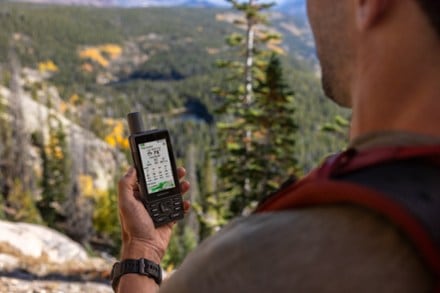
          I got this because I have been very happy with Garmin GPSs over Tom Tom, Magellen, and the military DAGR. I was traveling in Syria and Lebanon and needed a GPS that had topo maps of the region. Well, no GPS has topo maps of that region but you can get 'birds eye software' and get a google earth type overveiw. The unit is an alarm clock too, make sure you turn down the screen lighting when you leave it on all night. Batteries last weeks. The touch screen interface is easy to use. The 450t is $50 more than the 450, but that is how much you would pay for the maps that it has preloaded and you dont have to go through the process. It has a microsd card slot to store maps. I was very happy with it.
          • How are you with directions:
          • Bad w/Directions
          • Was this a gift?:
          • No

          Comment on this review

           
          4.0

          easy to use GPS

          By old 1

          from seattle wa.

          About Me Casual User

          See all my reviews

          Pros

          • Accurate
          • Extensive Base Map
          • Has Good Color
          • Large Screen
          • Quick Navigation
          • Reliable Reception
          • Simple Controls
          • This Unit Is Easy To Use

          Cons

          • Battery Life Is Short
          • Short Battery Life

          Best Uses

          • Hiking

          Comments about Garmin Oregon 450t GPS:

          I use this GPS to mark points on the trail to help find my way back or to find the same spot when hunting
          • How are you with directions:
          • Great w/Directions
          • Was this a gift?:
          • No

          Comment on this review

          Displaying reviews 1-10

          Back to top

          Previous | Next »

          How are we doing? Give us feedback on this page.

          REI Anniversary Sale May 17–27. Plus, members SAVE 20% on 1 full-price item with coupon code ANNV13. Details

          • Join REI today!
          • REI Membership
          • REI member benefits include an annual refund (typically 10% on eligible purchases).
          • Join REI today!
          • Sign up for REI Gearmail®
          • and get 15% off selected items!
          • Store Locator
          • Locate an REI store near you.
          • Find a Store

          Find REI on: FacebookTwitterYouTubeFlickr