REI.com
  • Online: www.REI.com
  • URL for this product:
  • From the U.S. and CanadaCall 1-800-426-4840
  • Mon. through Sun., 4 a.m. through 11 p.m. PT.
  • InternationalCall 1-253-891-2500
  • Mon. through Sun., 4 a.m. through 11 p.m. PT. English language only.
Garmin Oregon 450 GPS

    Garmin Oregon 450 GPS

    • $299.00
    (25)

    Item # 798879

    REI Members get back an estimated $ 29.90 on this item as part of their annual member refund.

    The REI Member Dividend

    The REI dividend is a unique benefit of membership in the REI co-op. It's comprised of your member refund—typically 10% back on eligible purchases—and/or your REI Visa® card rebates.

    Each March, active REI members and REI Visa cardholders who earned a rebate receive a refund in the form of an annual dividend notice.

    Only active members receive annual dividend notices. To maintain your active status as an REI member, you need to make net merchandise or shipping purchases of at least $10 per year, unless you joined that year. Member numbers are issued in one name and only that person receives the member refund. Your number can be used by others in your family, but it cannot be transferred to someone else.

    Questions? Call us at 1-800-426-4840 for more about your dividend or its redemption.

    Learn more

    Product size and color

    This item may be available in your local REI store.

    FREE U.S. STANDARD SHIPPING Through February 20. No minimum purchase! Learn more

    To view videos or use the zoom feature on REI's websites, please download the latest version of Adobe Flash Player.
    _

    • NOW PLAYING

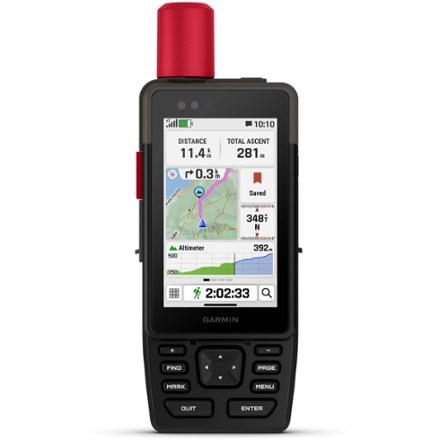
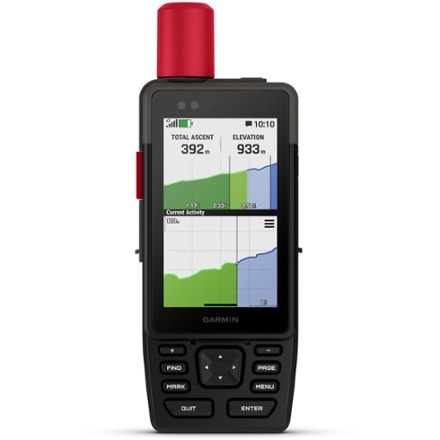
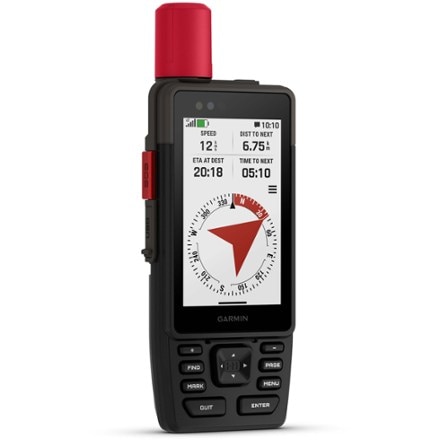
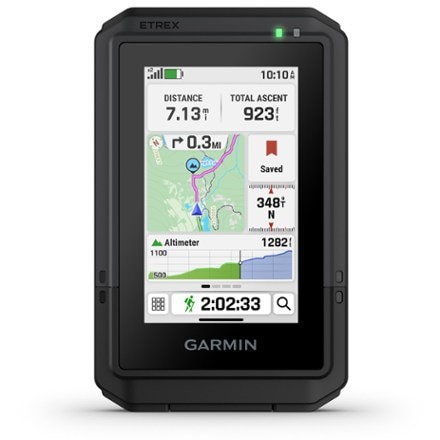
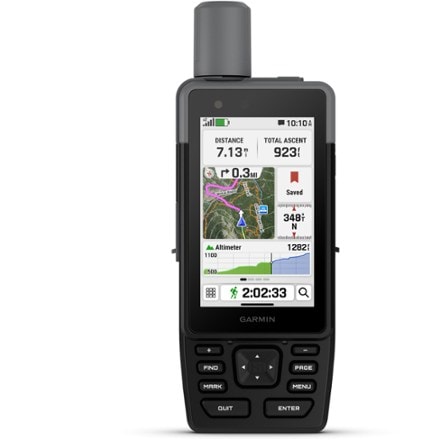
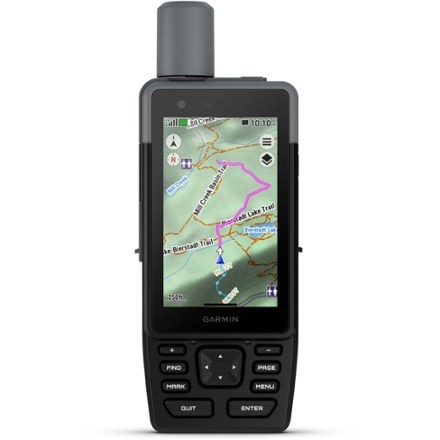
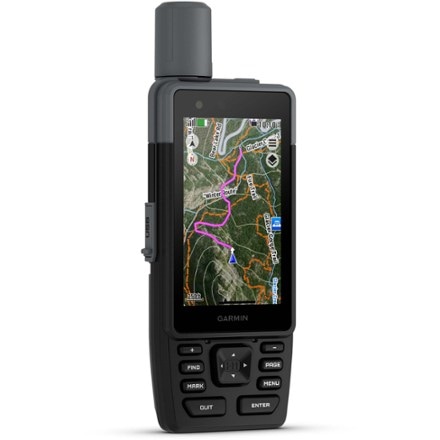
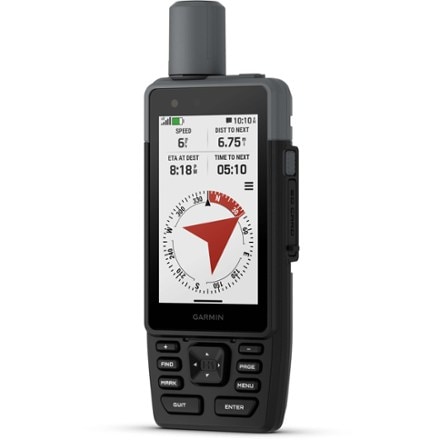
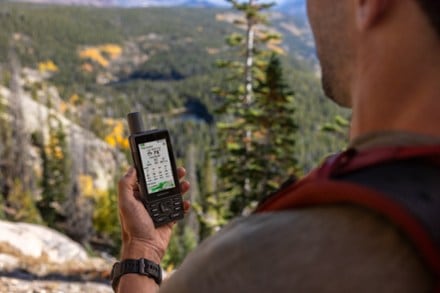
    With a 3-axis compass, enhanced display, incredible map presentation and geocache gaming and a vivid display, the Garmin Oregon 450 delivers a versatile and fun GPS experience.

    • 3-axis compass features 3 magnetic sensors that provide precise angle compensation, magnetic field correction and automatic terrestrial magnetic compensation
    • Enhanced, sunlight-readable screen offers crystal-clear colors and high-resolution images
    • Easy, intuitive touchscreen operation is fun and simple to use
    • Enjoy vibrant 3D ''walk the trail'' maps with Topo 2008 mapping software, sold separately
    • Enhance your view and understanding of your surroundings by adding Garmin BirdsEye Satellite Imagery (annual subscription card sold separately)
    • Waterproof MicroSD™ card slot for storing additional data; accepts Garmin MapSource® and BlueChart® data cards and software
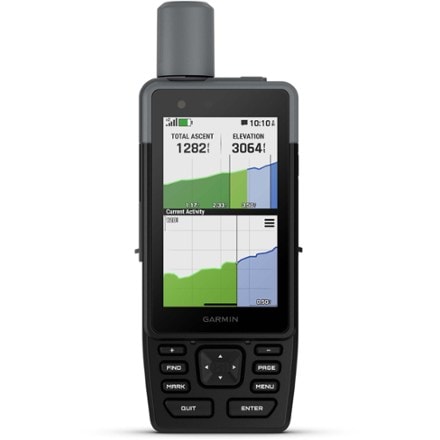
    • Built-in barometric altimeter provides additional navigational aid
    • Supports OpenCaching.com GPX files for downloading detailed geocache descriptions, terrain, difficulty and hints directly into GPS unit; visit OpenCaching.com to start!
    • Groundspeak's Wherigo Player application comes preinstalled and includes instructional tutorial; learn more at www.wherigo.com
    • Built-in basemap with 850 MB built-in memory stores up to 1,000 waypoints, 200 routes and 20 tracks with up to 10,000 points; Digital Elevation Model shading enhances map view
    • Enjoy effortless sharing of waypoints, tracks, routes and geocache locations between Oregon and Colorado series units with ANT wireless communication function
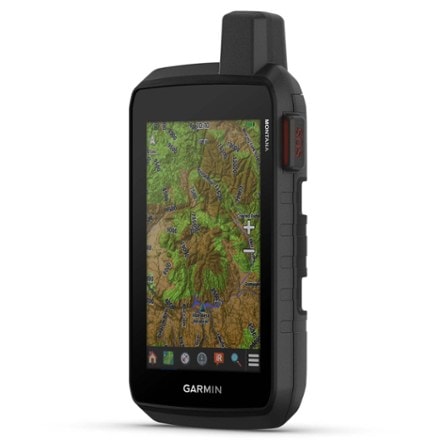
    • High sensitivity receiver and HotFix™ satellite prediction provide rapid first fix and help maintain signal, even in urban canyons and under dense foliage
    • WAAS (Wide Area Augmentation System) enabled receiver delivers accuracy to within 10 ft. in North America
    • Offers configurable profiles for end use: auto, marine, recreation, fitness and geocaching
    • Operates on 2 AA batteries (sold separately)
    • Rugged, waterproof construction protects unit from bumps, dust and moisture; meets IEC 60529 lPX7 standards (can be submerged 1m for up to 30 min.)
    • Compatible with Garmin heart rate monitors and GSC 10 Speed and Cadence Sensor, sold separately
    • Features JPG image viewer, outdoor GPS games, hunt/fish calendar and sun/moon/tide data
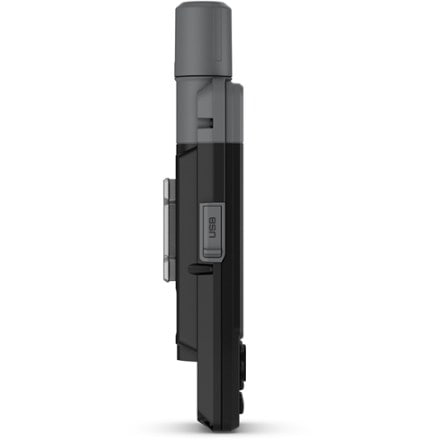
    • The Garmin Oregon 450 GPS includes USB interface cable and carabiner clip

    Imported.

    Item 798879

    REI Membership

    Related items

    Garmin Oregon 450 GPS Specs
    Specification
    Description
    Best use
    Hiking
    None
    Yes
    No
    Yes
    Windows / Mac
    No
    2.55 x 1.53 inches
    400 x 240
    Yes
    Yes
    Yes
    200
    1,000 and 1,000 geocaches
    Expandable microSD card slot
    Yes
    Yes
    Pressure-based
    High-sensitivity
    WAAS-enabled 3 meters
    2 AA
    16 hours
    4.5 x 2.3 x 1.4 inches
    6.8 ounces
    Preloaded map
    Basemap
    Preloaded geocaches
    Wireless communication
    OS compatibility
    Camera
    Display size
    Screen Pixels
    Touch screen
    Visual map display
    Color screen
    Number of routes
    Number of waypoints
    Internal memory
    Expandable memory
    Compass
    Altimeter
    Compact antenna
    Position accuracy
    Batteries
    Average battery life
    Dimensions
    Weight

    Garmin Oregon 450 GPS Customer Reviews

    REVIEW SNAPSHOT®

    by PowerReviews
    Garmin Oregon 450 GPS
     
    3.1

    (based on 25 reviews)

    52%

    of respondents would recommend this to a friend.

    Pros

    • Quick signal (8)
    • Accurate (7)
    • Great reception (7)
    • Large screen (7)
    • Simple controls (6)

    Cons

      Best Uses

      • Adventure (7)
      • Hiking (5)
      • Geocaching (4)
      • Travel (3)
        • Reviewer Profile:
        • Enthusiast (14), Casual user (6), Power user (5)
        • How are you with directions:
        • Great w/directions (6)
        • Was this a gift?:
        • No (17)

      Reviewed by 25 customers

      Sort by

      Displaying reviews 1-10

      Back to top

      Previous | Next »

      (157 of 165 customers found this review helpful)

       
      4.0

      Almost perfect

      By RPinSP

      from Central New Mexico

      About Me Power User

      See all my reviews

      Site Member

      Pros

      • Accurate
      • Configurability
      • CustomMap ability
      • Functionality
      • Large Screen
      • Lightweight
      • Quick Signal
      • Reliable Reception

      Cons

      • Some unintuitive screens

      Best Uses

        Comments about Garmin Oregon 450 GPS:

        I use this almost exclusively for backpacking. I also use it sometimes as an automotive unit which works ok, but the screen is really a bit small for that purpose. I bought the 450 to replace my Etrex Vista Hcx, which was an excellent receiver as well, but I wanted something with a larger screen so that I could see more topo map area as I traveled.I've had this unit for about 6 months now and this is what I can tell you:*Screen brightness: I almost didn't try this unit because I had read enough reviews from people that said even with the backlight turned all the way up (which chews through batteries) they still had trouble reading the screen. Personally, I have no trouble reading the screen and I almost never use the backlight. If you just tilt the unit a little this-way -or-that, it's incredibly crisp in full on sun. Where it does lack as far as visibility is concerned is in deep shadows or around dusk. In those cases, I turn the backlight on to about a 1/3 brightness and that does the trick.I found that the biggest problem with visibility is Garmin's own pre-installed background images (pine needles, rocks, camo, etc.). Every single one of them tends to be dark. Since all the menus are semi-transparent, they consequently are overlaid onto a dark background, which means that in low light situations you have turn up the screen brightness to overcome the dark background. Stupid. This is easily remedied by using an all-white background rather than one of the units pre-installed background images. You can create your own using MS Paint-or better still- by going to the ultimate GPS users site, the Garmin wiki ([@]). There is a link in there where you can download an all-white background that's already sized for the Oregon. Transfer it to the proper folder on the unit (instructions on the wiki site), choose it for the default background image and you're good to go. I did this and believe me it makes a HUGE difference in screen brightness. Garmin really needs to provide an all-white background pre-installed on their units.*Update your GPS!: Many problems that people seem to have are bugs that Garmin has now fixed (this is a fairly new interface for Garmin after all). As soon as you get your unit, go to Garmin's Webupdater service and download the most recent updates- and keep checking for new ones. Garmin seems to be very good about releasing updates to fix bugs as well as providing product enhancements.*Garmin's user's manual: Forget it. It's sorely lacking. It's ok for getting acquainted with your new GPS but that's about it. It covers (poorly) only about ½ of what this little gem is capable of. Do yourself a favor and bookmark the Oregon Wiki page for the 450 and use that as your user's manual. It covers every detail of what the Oregon can do- fixes, tips, tricks, etc. Garmin should bag their own user's manual and just provide a link to that site! And yes, the Wiki site is totally free…..Another invaluable resource for GPS use is the Groundspeak Forum.*CustomMaps: This might be my favorite feature of the Oregon 450- the ability to load custom maps onto the unit. You can make your own and georeference them (haven't tried that) or there are numerous (free) sites that you can go to and download topo, aerial, street, etc. maps to your GPS. Being a backpacker, I am mostly interested in detailed topographic maps. I bought one of Garmin's' 24k mult-state DVD's to go with this unit and although it's infinitely better than their 100k software, I found vector based maps generally unappetizing. They have their advantages (like automatic routing on roads and trails and smaller file size) but they just aren't as detailed as the USGS 7.5 min quads that I've been backpacking with my whole life. With CustomMaps you can download actual USGS topos to your GPS. This was the clincher for me. This GPS now does everything- and more- than I'd hoped for. A program that I highly recommend for topo (and many more types) acquisition and transfer is TopoFusion ([@]). It's not free, but you can use it indefinitely for free (with limitations of course). Awesome program- check it out. Disclaimer: I have absolutely no affiliation with the company- just love their software.*Configurability (is that a word?): I love that you can configure the 450 just about any way you want to meet your specific needs. The ability to choose different functions and settings into a Profile, and to have multiple profiles, is truly a powerful tool. It saves all kinds of time not having to change settings when going from one activity to another. Just change to a different Profile and all your custom settings are right there. I have different Profiles setup for Backpacking, Automotive, Bicycling, and Barometer. The Barometer Profile I created is cool for backpacking because you can set it up to take readings every 15 minutes throughout the night, with the GPS turned off (to conserve batteries). In the morning you can turn it on and view the graph to see if the pressure is stable or falling (low pressure system moving in). Love it!*Battery life: I typically get around 18 hours out of a set of rechargeables. That's with the backlight off or set to timeout after 1 minute. If you use the backlight on full all the time, you can expect to get more like 10 hours with rechargeables or disposeable alkalines. I use rechargeables exclusively unless I'm backpacking, in which case I use disposeable lithiums- which do better in the cold, are lighter and give even longer run time.There are many, many other great things about the 450 that are reviewed elsewhere so I won't repeat them here. Suffice it to say that, at least for me, this is the (almost) perfect GPSr.Cons: No real "cons" but a couple nit-picks- 1)Garmin really needs to put some "back" buttons on their screens to take you directly back to the Main Menu, rather than cycling through every screen you went through to get where you are from the Main Menu. Not a huge deal because the touch screen interface is quite fast, but still annoying at times.2)Similarly, on screens with a long list of items (such as tracks, waypoints, poi's, etc) that you have to scroll down to see the next page of, when you get to the bottom, you have to scroll back up again. On my Etrex, when you got to the bottom of the list and kept scrolling, it would automatically go to the very top of the list again. Or in reverse- if you scrolled up from top of the list it would take you to the bottom. Once again this isn't a huge deal but it can be annoying when the track you want to load or the waypoint you want to navigate to is 4 pages down.3)WASS lock. All the Oregon's have suffered from the inability to get a good WASS lock. Geocachers make a bit fuss over this (no offense intended). Personally, I never use WASS and typically get an accuracy of 10-15 feet. WASS would improve that further. For what I do though, it's plenty accurate. FWIW, Garmin's new beta software 3.52 seems to have fixed the WASS issue according to many users, but the full release is not yet out. Will be soon though I would guess.The only reason I did not give it 5 out 5 stars is that there is always room for improvement and nothing is "perfect". This is pretty close though.....I hope this helps some of you that might be "on the fence" as I was at one time. It really is a great GPS.

        • Gift:
        • No

        (24 of 24 customers found this review helpful)

         
        4.0

        Touch Screen GPS

        By wiipack

        from Seattle

        About Me Enthusiast

        See all my reviews

        Pros

        • Accurate
        • Intuitive Menu
        • Large Screen
        • Quick Signal
        • Reliable Reception

        Cons

        • Short Battery Life

        Best Uses

        • Geocaching
        • Hiking

        Comments about Garmin Oregon 450 GPS:

        Very good GPS for hiking & geocaching. The difference between this one and the 450t is that the 450t comes with preloaded maps. You do not want to buy them. You can go online and search for 'free gps topographical maps' and download the maps for your area. You can also get most of the hiking trails for your area doing this. Get a 'transparent' version as it overlays your topographical map data with the trail name and course.

        I purchased an 8GB micro data card to download the maps onto (Garmin claims that you can only use a 4gb card, but this is not entirely true). You need to use Garmin's Map Install to put the maps on the micro card and make sure that you rename the gmapsupp.img file so that you don't overwrite your other map files. I have all of the West Coast and Mid-west loaded, along with the trail data. If you do buy Garmin's maps (like I did), make sure that you get them on CD. If you get them pre-loaded on a micro card, you can overwrite the file (if you add anymore information) and loose all of your map data that you paid for.

        I had a Garmin 60CSx (which uses a toggle key to move the arrow around the screen). It had better reception and locating ability due to it's antenna. It worked better in canyons and heavy cover. However, for geocaching, you will want this one, as you can do 'paperless' geocaching. You can download all of the geocaching notes to the unit and save a ton of trees and printer ink costs (requires a subscription to the geocaching website, which allows you to download hundreds of caches at a time instead of single file. Also includes the cache description, log notes and hints).

        A note about this unit is that it currently comes with the Garmin operating system of 3.50. If you go to Garmin's website, you can upload (at this time BETA version) 3.52, which significantly improves the locating ability of the internal antenna and some other features.

        The difference between this one and the Garmin 550 is that the 550 has a 3.2 MP digital camera. The camera function really eats thru your batteries. You can decide if the simple camera function (with gps coordinates added) is worth the extra $100 or if you would do better getting a much higher resolution digital camera to use.

        I purchase rechargable batteries for mine and a screen protector. The unit is waterproof and comes with a carabiner.

        • Gift:
        • No
        • How are you with directions:
        • Great w/Directions

        (19 of 19 customers found this review helpful)

         
        5.0

        Best Hiking Unit to date

        By Outdoor Doc

        from Cleveland, OH

        About Me Enthusiast

        See all my reviews

        Site Member

        Pros

        • Accurate
        • One Hand Control
        • Quick Navigation
        • Reliable Reception

        Cons

          Best Uses

          • Cycling
          • Geocaching
          • Hiking

          Comments about Garmin Oregon 450 GPS:

          I don't normally review the items I buy, but I did this one because I love this unit and feel the 3.5 stars average of the reviews at the time I write this are too low and unfair based on people who have bought the 450 for the wrong purpose or used it incorrectly. I will elaborate; I bought the 450 as an upgrade to my old Garmin Vista HC. That unit worked great on many hiking/backpacking trips, but the price of the 450 and bigger screen proved too tempting to resist. I am thrilled with my upgrade. The 450 is easier to read, better built, faster with way more power, and more sensitive under cover. My only complaint is the poor documentation, but there are many resources on the web to make up for this downside.

          Now to address the criticisms. I realize that everyone has a right to their opinion, but to be of value, it should be well informed. First, this is not a unit designed for navigation in a car. If you buy it for that purpose, you will be disappointed. This unit is ruggedized and waterproof for use on a TRAIL. For that purpose, it is fantastic. If you are interested in a unit for your car, your Android Phone will do that for free (but is NOT good for hiking and backpacking) or better yet get a car unit (for much less money with mounts and charger included).

          The second criticism I see on this unit is the poor maps. I agree that Garmin's maps are expensive, but for the most part they are very good. If you buy custom maps, it is not Garmin's fault that the quality is poor. Most importantly, you can download excellent maps to the 450 for FREE.

          The final criticism is poor screen visibility. Coming from the Vista series, this screen is a major improvement. I would love to leave the backlight on all of the time (and you can set this one to do so) but you will have very poor battery life. If you are using this in daylight the screen has very good readability.

          This unit will function as a Car GPS, Boat GPS..., but it is designed for activities such as hunting and hiking. For that purpose, it is excellent. I would not recommend you use your iPad, iPhone, Nuvi, Android, or BlackBerry for backpacking. This first fall in a stream, lake or rain will kill it if the batteries even last long enough to hit that rain. With the Oregon 450, you will have no problems on the trail!

          • Was this a gift?:
          • No

          (17 of 22 customers found this review helpful)

           
          5.0

          Great Unit

          By funguy1111

          from Portland,Or.

          About Me Enthusiast

          See all my reviews

          Pros

          • Compact
          • Easy To Read
          • Easy To Set Up
          • Reliable Performance
          • Simple Controls
          • Strong Construction
          • Versatile

          Cons

            Best Uses

            • Adventure

            Comments about Garmin Oregon 450 GPS:

            I have had this gps for only two weeks and so far this unit is great. It does every thing I want and more.It took me right to my first cache with ease. It is fast, accurate, and has all the extras.I have been in thick forest and seems to get good reception.I have e-mailed Garmin for tech support and got answers even on the weekend.No regrets.

            • Gift:
            • Yes

            (12 of 15 customers found this review helpful)

             
            2.0

            Disappointing in many respects

            By soloviajero

            from Boulder, Colorado

            About Me Casual User

            See all my reviews

            Pros

            • Customer Support

            Cons

              Best Uses

                Comments about Garmin Oregon 450 GPS:

                I'm returning this product to REI, where I buy all my outdoor stuff. It is the first product I ever returned to REI. I bought the Oregon 450 six months ago and tried very diligently to like it, on two continents, and in conditions ranging from jungle in South America to the Rockies in Colorado. The more I used it, the less I liked it.

                The screen is not particularly easy to see in daylight or when it's snowing, as I most recently discovered in a blizzard coming down from the mountains. I had continuous problems with the unit accidentally changing screen resolution.

                The maps are expensive and not particularly detailed, as others have suggested. This GPD is not a substitute for a 24,000:1 topo map. In broad daylight, the "shading" feature renders the topo maps unreadable, and you have to move through several screens to turn shading off. The Garmin "Basecamp" software is very useful, but that usefulness does not translate to the handheld GPS unit itself.

                The touch screen interface was not user friendly to me, although I could reorder the main menu to place less useful functions out of sight. It would have been more useful to be able to turn them off.

                I purchased the unit principally as a direction finder for use on water in the Amazon, so I was especially interested in the "Track Back" feature, to help me get out of trouble the same way I got in. However, the user's manual for the 450 is so primitive that it took me a couple sessions with customer service how to learn to use that feature. I give Garmin customer service high marks for effort and helpfulness, but that is not a substitute for a good owner's manual. Others have also pointed out that lack of good documentation impairs the usefulness of this product.

                The "feature" I like LEAST is the "informational pushpin" which appears unsolicited to offer unrequested information regarding someplace on the screen that you accidentally touched while navigating the map on the touch screen. The touch screen itself is not nearly as responsive as that on a smart phone, and when the red "pushpin" suddenly appears, it usually blocks whatever you were trying to see on the screen, and the "information box" blocks about 20% of the remaining unobstructed part of the map screen. You can't turn the informational pushpin off, and it resists being placed out of view. Garmin customer service verifies that it can't be turned off and, as of a couple months ago, there was no software fix to help a user who didn't want to deal with it. Customer Service recommended buying a GPS unit that didn't have a touch screen, to avoid accidentally engaging the feature. An unwanted "feature" that can't be turned off is a nuisance. The feature activates too quickly, and it interferes with navigating on the map screen. You can delete an individual appearance by pushing the "back" button, but doing this resets the map to the beginning position, which negates all the movements (on the screen) you made, which is why you were touching the screen to begin with.

                The touch screen does not work well in the cold with gloves on, which make it problematic in winter conditions. The unit does not seem to accurately measure the distance actually traveled. It measures a "crow flies" distance between two points, which is not meaningful in mountainous terrain. IF it can be made to measure an actual distance traveled, I never found out how to do that, because the instruction manual was so poor. In summary, I can honestly tell you is that I spent hundreds of hours working with the Oregon 450, and I spent a lot on maps and satellite imagery, and the longer I used the unit, the less I liked it. I know this evaluation places me at odds with some others who have reviewed it here, but this was my experience.

                • Was this a gift?:
                • No

                (12 of 80 customers found this review helpful)

                 
                2.0

                Oregon 450-2 steps forward 2 steps back

                By bsinnett

                from Richmond, VA

                About Me Power User

                See all my reviews

                Pros

                • Compact
                • Simple Controls
                • Strong Construction

                Cons

                • Buggy Software
                • Difficult To Read

                Best Uses

                • Auto
                • Travel

                Comments about Garmin Oregon 450 GPS:

                Garmin seems to have taken taken 2 steps forward and 2 steps backward with the Oregon 450.I have owned the Garmin GPS V, the Quest 2 and the Nuvi 350. I have remained loyal to the brand, but after the 450 I'll be shopping around next time.The first problem was the owner's manual. By reading the manual you have little idea what you are actually getting and what functions and features the unit will have. It is the mose sparse manual I have seen. My recommendation to a new buyer...go to the store and make sure you get your hands on a unit. If you don't, you'll be disappointed when it arrives and you find that some of your favorite features from prior units are not on the Oregon 450.The second issue has to do with those lost features: 1) No Points of interest along the current route...units have been doing that for years. So you're driving down the highway and you want to know where a McDonalds is along the way...forget it. 2)No detour function...again the Oregon's predecessors have had a detour function for quite a while. 3)You want to know where the next exit is...nope. 4) How about inserting a "via" into the current route?...uh uh. 5)Would you like to get "Home" quickly?...All of the units that I have owned basically have a quick button sequence to get "Home"...With the Oregon it is...X out of whatever you're in...tab over to the "Where To" button and tap it...Tap the waypoints button...type in most of the word "home"...hit enter...tap on the "Home" waypoint...and then hit "Go". 6)How about avoiding a particular road or a selected geographical area?...sorry. The list goes on.The third issue is the complexity with transferring waypoints and routes between the unit and the computer. If you have used Garmin's Mapsource in the past, you'll find that you can no longer transfer waypoints and routes from the unit to the computer without using elaborate disk operation steps. Lastly, the difficulty with the screen's brightness is everything you read about. When outdoors I am constantly tilting the unit one way or the other to get the light to hit the screen just right.It seems as if Garmin has either forgotten sections of code for the Oregon 450, or...what I believe is actually the case...they have literally made it so you have to buy two units for what one unit used to do. If you want a function for finding a waypoint along your current route you must purchase a automotive unit, if you want to hunt for a geocache you must purchase a trail unit. The [*] thing is Garmin used to not be that way.Search around...maybe another manufacturer programs one of their models to do it all...it's only software programming you know.

                • Gift:
                • No
                • How are you with directions:
                • Great w/Directions

                (9 of 9 customers found this review helpful)

                 
                5.0

                Better than expected

                By KC-Cool

                from Cool, California

                About Me Enthusiast

                See all my reviews

                Site Member

                Pros

                • Accurate
                • Intuitive Menu
                • Large Screen
                • One Hand Control
                • Quick Navigation
                • Quick Signal
                • Reliable Reception

                Cons

                • Short Battery Life

                Best Uses

                • Geocaching
                • Hiking

                Comments about Garmin Oregon 450 GPS:

                I have owned this GPS for about a month now, and I love it. So far, I have only used it for hiking and GeoCaching, but it has worked great each time that I have used it. I did purchase the California-Nevada 1:24k Topo maps later, and what a great addition.

                When using the unit for GeoCaching, it usually outs me within 5 feet, and on several occasions, right on top of the cache. Couldn't ask for anything better than that.

                Also, I love the touch screen. I cannot imagine using anything else. it is very easy to navigate, and you can look online for any answers that you need. I would suggest online help over the less than desirable instruction manual that comes with the unit.

                The only complaint I have is with battery life. I am using the Sanyo eneloop rechargeable NiMh batteries, but even these only give me 6-10 hours of use. Even this is not a big deal, because I bought a set of 4, and I just make sure that I have a charged replacement set with me each time.

                • Gift:
                • No
                • How are you with directions:
                • Great w/Directions

                (7 of 8 customers found this review helpful)

                 
                2.0

                Bit Disappointed

                By PDBrule

                from Asheville, NC

                About Me Casual User

                Site Member

                Pros

                • Large Screen
                • Quick Navigation
                • Quick Signal
                • Reliable Reception

                Cons

                • Hard To Read

                Best Uses

                  Comments about Garmin Oregon 450 GPS:

                  I recently purchased the 450 during the Labor Day sale - incredible deal $100 off!
                  So I shouldn't complain - But, I have found that the 24k topos are difficult to read in shady deep woods, even at full brightness which is not recommended due to battery drain. (I can read hard copy maps under the same lighting conditions with no problem.) I have to constantly find a ray of sun to see the screen. The good news is that the screen is very easy to read in bright sun. Unfortunatley I hike in the Appalachians, not Arizona. Another pick, and this may be my inexperience, on my first two hikes with it the total ascent and odometer have been way off what they should have been, even though I downloaded the manual and read it cover to cover, and downloaded a firmware update. So I'm a bit disappointed and considering a return.

                  • Was this a gift?:
                  • No

                  (6 of 27 customers found this review helpful)

                   
                  2.0

                  What happened to Mapsource?

                  By rivers2run

                  from Medford Oregon

                  About Me Enthusiast

                  See all my reviews

                  Site Member

                  Pros

                  • Intuitive Menu
                  • Large Screen
                  • Quick Signal

                  Cons

                  • Difficult To Set Up

                  Best Uses

                  • Geocaching

                  Comments about Garmin Oregon 450 GPS:

                  There is no computer interface included with this software, no Mapsource you have to rely on Garmin for maps. Their whitewater download is a complete joke I can't believe I spent $25 on software that doesn't get the put in and take outs correctly, but also misspells the name of well known whitewater rivers. It is the Rogue not the Rouge. Truly pathetic wothless maps. I was hoping to customize maps no chance of that without Mapsource software you have to buy their terrible maps before you can get it. I guess Garmin never heard of open source. Look hard on the internet if you decide to keep this unit because there are loads of better freemaps than Garmin's garbage maps, and you can dig up free sources of Mapsource. Shame on you Garmin for making this so hard!

                  • Gift:
                  • No
                  • How are you with directions:
                  • Bad w/Directions

                  (5 of 5 customers found this review helpful)

                   
                  4.0

                  Oregon 450 First Trial

                  By kumakichi

                  from Sammamish, WA

                  About Me Casual User

                  See all my reviews

                  Pros

                  • Accurate
                  • Large Screen
                  • One Hand Control
                  • Quick Navigation
                  • Quick Signal
                  • Reliable Reception

                  Cons

                    Best Uses

                    • Hiking

                    Comments about Garmin Oregon 450 GPS:

                    Bought it at Labor Day Sale..a great buy. I plan to use it for day hiking to places where the trails might be sketchy. So my needs are pretty basic. The manuals don't nearly provide enough info on how to use it though. I ended up asking a few questions of the Oregon Wiki site. Today I took it for a TRIAL run up Mount Si. It picked up the signal quick and I never lost it even with the heavy canopy of fir trees. I used the Tracback feature and it worked great. How to access the Tracback feature is not documented well in the Garmin documentation. I liked that fact that you can use one hand and same hand thumb to make your screen selection. Also being able to set up your own locations for the menu buttons is nice. Based upon this trial run I'll be moving some buttons around. I have some 2700 mhA batteries coming so will give those a try. I had a fun time using it! I rated it a four ONLY because Garmin could do a better job with their documentation or even better videos on their website.

                    • How are you with directions:
                    • Great w/Directions
                    • Was this a gift?:
                    • Yes

                    Displaying reviews 1-10

                    Back to top

                    Previous | Next »

                    How are we doing? Give us feedback on this page.

                    FREE U.S. STANDARD SHIPPING No minimum purchase!

                    THE REI WINTER CLEARANCE: SAVE UP TO 50% On selected ski, snowboard and end-of-season clothing & gear. Shop early for the best deals

                    • Join REI today!
                    • REI Membership
                    • REI member benefits include an annual refund (typically 10% on eligible purchases).
                    • Join REI today!
                    • Sign up for REI Gearmail®
                    • and get 15% off selected items!
                    • Store Locator
                    • Locate an REI store near you.
                    • Find a Store

                    Find REI on: FacebookTwitterYouTubeFlickr