REI.com
  • Online: www.REI.com
  • URL for this product:
  • From the U.S. and CanadaCall 1-800-426-4840
  • Mon. through Sun., 4 a.m. through 11 p.m. PT.
  • InternationalCall 1-253-891-2500
  • Mon. through Sun., 4 a.m. through 11 p.m. PT. English language only.
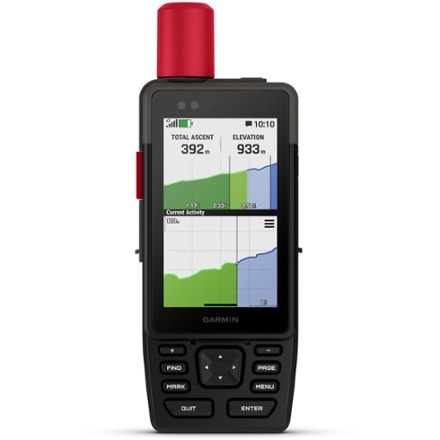
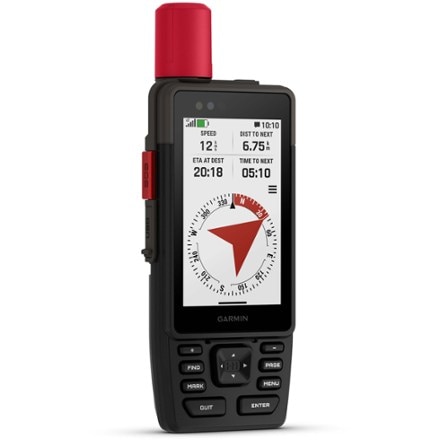
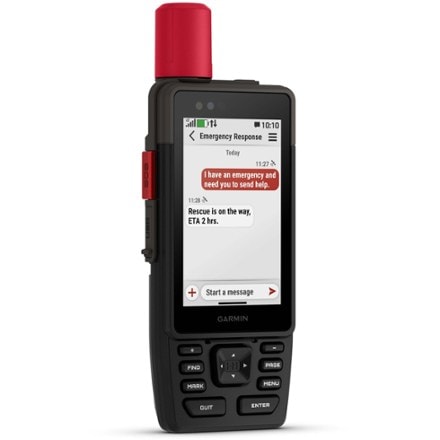
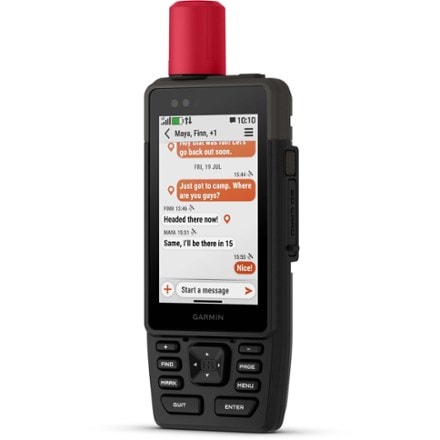
Garmin Oregon 550t GPS
zoomZoom image

Garmin Oregon 550t GPS

Item # 784883

$599.95

Item qualifies for annual
REI Member Refund (typically 10%)

1.

2. Qty

3.

Product Rating
Share It
Bookmark and share Bookmark and share

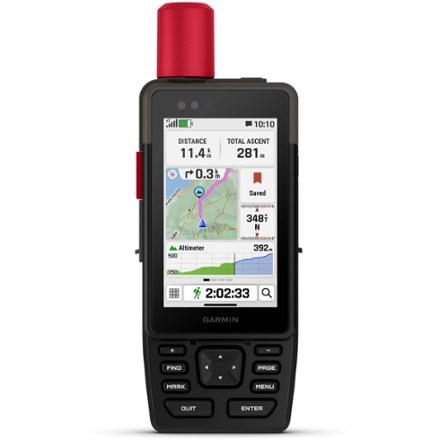
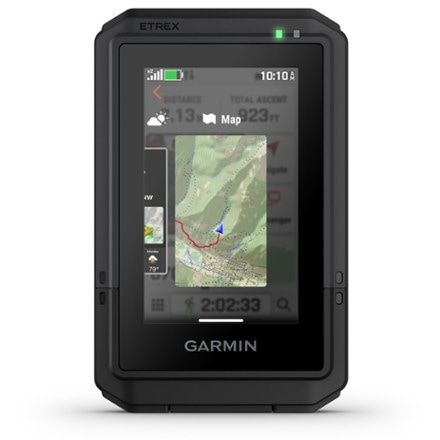
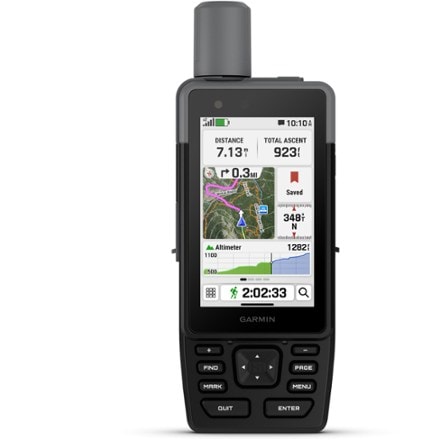
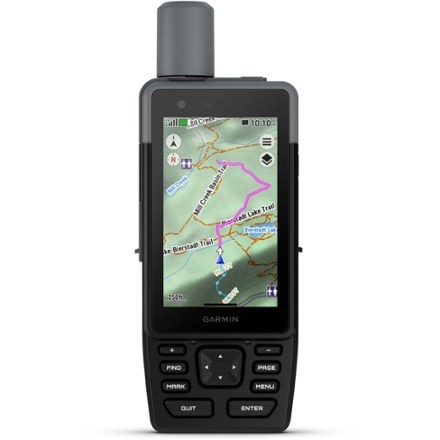
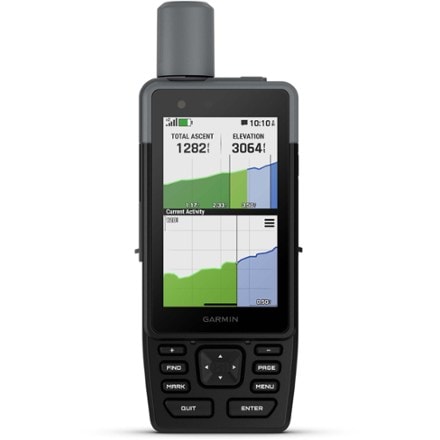
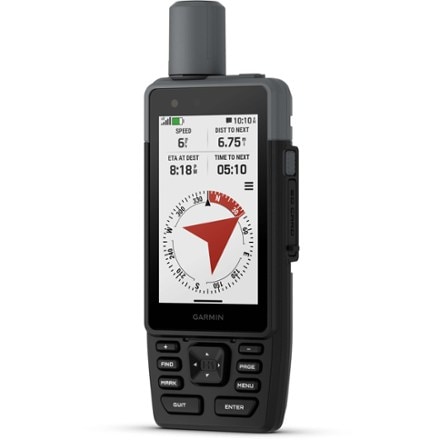
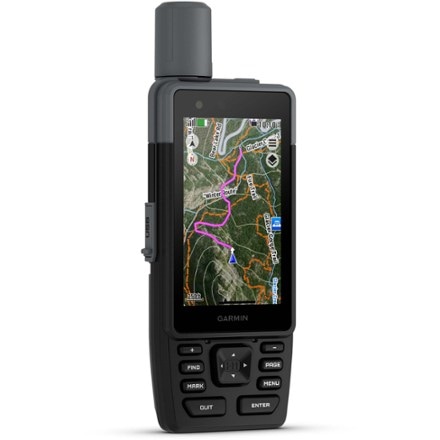
The trail-ready Garmin Oregon 550t sports an integrated digital camera, a touch screen interface, spectacular trail mapping, geocaching and vivid display for the ultimate GPS experience.

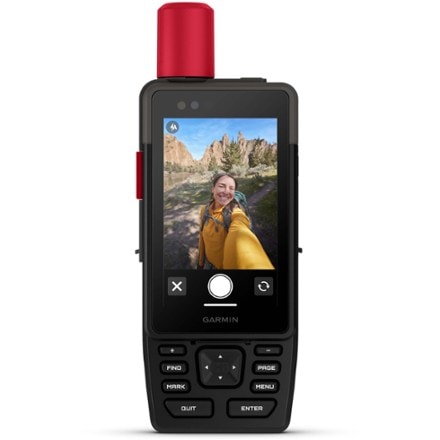
  • Built-in digital camera features 3.2 megapixels, auto focus and geotagging capability
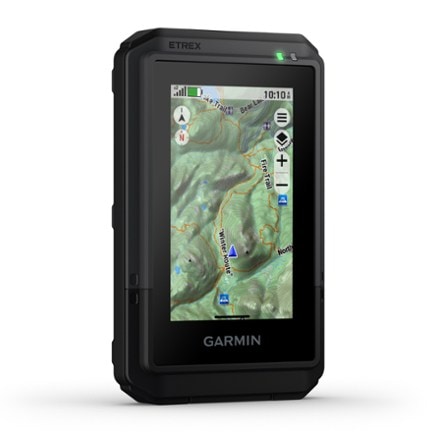
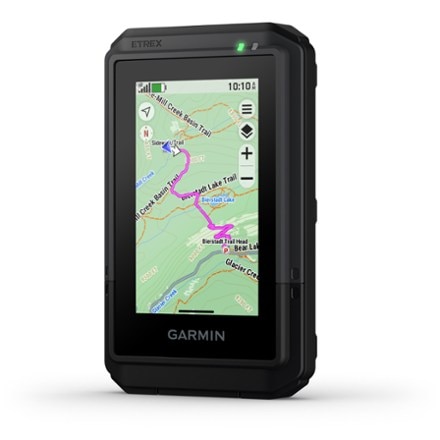
  • Preloaded topographic maps serve up vibrant 3D ''walk the trail'' mapping and Worldwide Digital Elevation Model (DEM) base map with shaded relief
  • Map details include national, state and local parks and forests, terrain contours, elevation information, trails, rivers, lakes and points of interest
  • Large, sunlight-readable screen offers crystal clear colors and high-resolution images
  • Easy, intuitive touch screen operation is fun and simple to use
  • Features waterproof MicroSD™ card slot for Garmin MapSource® and BlueChart® data cards and software (sold separately)
  • Built-in electronic compass and barometric altimeter provide additional navigational aid
  • Supports Geocaching.com GPX files for downloading detailed geocache descriptions, terrain, difficulty and hints directly into GPS unit
  • Groundspeak Wherigo Player application comes preinstalled and includes an instructional tutorial; learn more at www.wherigo.com
  • Built-in base map stores up to 1,000 waypoints, 50 routes and 20 tracks with up to 10,000 points; Digital Elevation Model shading enhances map view
  • Enjoy effortless sharing of waypoints, tracks, routes and geocache locations between the Oregon- and Colorado-series units with ANT wireless communication function
  • High sensitivity receiver and HotFix™ satellite prediction provide rapid first fix and help maintain signal, even in urban canyons and under dense foliage
  • WAAS (Wide Area Augmentation System) enabled receiver delivers accuracy to within 10 ft. in North America
  • Offers configurable profiles for end use: auto, marine, recreation, fitness and geocaching
  • Includes 2 AA NiMH batteries
  • Rugged, waterproof construction protects unit from bumps, dust and moisture; meets IEC 60529 lPX7 standards (can be submerged to 1m for up to 30 min.)
  • Compatible with Garmin heart rate monitors and GSC 10 Speed and Cadence Sensor, sold separately
  • Features JPG image viewer, outdoor GPS games, hunt/fish calendar and sun/moon/tide data
  • Includes USB interface cable, carabiner clip, owner's manual and quick start guide

Imported.

Item 784883

Garmin Oregon 550t GPS Specs

Specification

Description

Position accuracyWAAS-enabled 3 meters
Routes50
Waypoints (total)1,000 and 1,000 geocaches
MemoryExpandable microSD card slot
PC CompatibleYes
CompassYes
AltimeterYes
Color screenYes
Compact antennaHigh-sensitivity
Display size2.55 x 1.53 inches
Screen Pixels400 x 240
Battery type2 AA
Battery life at 70 degrees16 hours
Dimensions4.5 x 2.3 x 1.4 inches
Weight6.8 ounces

Garmin Oregon 550t GPS Customer Reviews

REVIEW SNAPSHOT®

by PowerReviews
GARMIN OREGON 550T GPS
 
2.8

(based on 9 reviews)

56%

of respondents would recommend this to a friend.

Pros

  • Accurate (6)
  • Large screen (6)
  • One hand control (4)
  • Extensive base map (3)
  • Intuitive menu (3)

Cons

  • Hard to read (4)

Best Uses

  • Hiking (5)
  • Geocaching (4)
  • In car (3)
  • Reviewer Profile:
  • Power user (5)
  • How are you with directions:
  • Great w/directions (8)

Reviewed by 9 customers

Sort by

Displaying reviews 1-9

Back to top

(25 of 28 customers found this review helpful)

 
5.0

Upgraded Garmin Oregon with extras

By Night-Ranger

from Greensboro, NC

About Me Power User

Site Member

Pros

  • 5000 Geocaches
  • Accurate
  • Camera
  • Improved screen readabili
  • Large Screen

Cons

    Best Uses

    • Geocaching
    • Hiking
    • In Car

    Comments about GARMIN OREGON 550T GPS:

    Oh my, the screen is awesome. I was lucky to pick up at REI the same time that the Garmin rep was there. I talked with him for a while. He told me that they had worked hard on the screen to make it much more sunlight readable. He said that the screen uses sunlight to actually make it brighter in direct sun. I took it outside and was surprised that it really is much better. I would say it is better than the Colorado and the 60CSX. I would rate it as almost as good as my iPod touch. Very well done Garmin.

    The second thing to check out was the camera. I take a lot of self-photos and was disappointed that there was no notification if a picture has been taken. No beep, no flash, nothing. Plus since the shutter button is a soft key on the screen, you really don't know if the pic was taken or not. I would rather have the side button be the shutter button. I would think it very difficult or impossible to take a self portrait with gloves on in winter. Overall though, I am very happy with the camera for other than self photos. I like that the camera lens is very protected by the case back so it won't get scratched. It is kind of recessed into the case. The unexpected thing that I found with the camera was that it puts a thumbnail next to every waypoint made with the camera. I will be able to take photos of all my waypoints. I fully expect that the mark waypoint button will be not used much. Pics instead! I was able to replace background images on my profile with pics that I took with the camera as well. I have a 8gb sandisk card installed. No problems yet. Garmin said to use a 4gb max-I decided to try the 8gb. The 550T allows me to store photos on that or in the internal memory. I have it go to the card. Once again my main gripe about the camera is the lack of pic notification and the fact that there is no instant review button on the camera take picture screen. It gives about a 2 second review but then goes away. No way to easily review or remove photos unless you exit out and go to the photo viewer menu.
    The electronic compass. The first thing I noticed was the way the needle moved. So smooth. Just like my high dollar Silva Ranger compass. It is extremely accurate even when not holding it level. When I calibrated I was surprised that I only had to rotate once in each direction instead of twice like all the other Garmin GPS units I have owned.

    I added new Garmin City Navigator NA 2010. I was happy to see the latest roads in Greensboro on this edition. It was not on the 2009 maps. No other differences that I can see.

    The other features that are different are the faster USB, spring on the case latch, and the ability to go to photos.

    I have yet to figure out how to use GSAK to load 5000 caches but that will come in time. The Export macro only supports 2000 caches and there is not a 550t option in the gps setup.

    Below are the issues that I called Garmin about and got a positive response from the rep. She liked all of the suggestions and she told me that she was one of the 550T alpha testers. She would pass these on-we will see.
    1. Put closest caches on the screen with direction after marking a cache to be found. Do not just ask if we want to go to the closest cache. That might not be the one we want to go to. It might be the wrong direction, on the other side of the lake or might be a puzzle that we have not solved yet.
    2. Proximity circles. Nuff said.
    3. Give us the option to lock the maps data fields. Not the whole unit, just the data fields. Once they are right, I don;t want to constantly readjust them due to accidental screen touches.
    4. Give us the same scroll buttons that are on the settings screen for cache descriptions. Let us be able page down by simply pressing a button. On long earth cache descriptions, using the finger flip is frustrating!
    5. How about the ability to use the accelerometer and have the screen flip (like it already does for viewing photos) for the map so we can have a horizontal GPS for the car to simulate the nuvi. In fact, when we flip it sideways (in automotive mode), make it exactly like a Nuvi! Same menus, same screens and all. Everything except voice commands. I understand not having voice.
    6. The last thing I asked about was unlimited caches. Why are we limited to 500, 1000, 2000, 5000? It seems that if we can have 6 million POIs, we can have 100,000 caches. I would give up a million POIs to have the ability to store a 100,000 caches?

    Overall, I am impressed by the unit. I like the compass, screen and the ability to go to 5000 caches which means I will have all of the caches within 96 miles of my home loaded into my GPS. When I go on trips, I will be able to load Caches for the entire trip without having to reload every so often. I will also have the ability to take geotagged photos at a moments notice without having to remember to bring my camera. I am looking forward to what these improvements. I anticipate using the camera quite a bit more than I originally thought I might.

    • Gift:
    • No
    • How are you with directions:
    • Great w/Directions

    (10 of 13 customers found this review helpful)

     
    1.0

    Not Impressed

    By Weekly Hiker

    from Portland OR

    About Me Power User

    Site Member

    Pros

    • Accurate
    • Large Screen
    • Reliable Reception

    Cons

    • Hard To Read

    Best Uses

      Comments about GARMIN OREGON 550T GPS:

      I long awaited the release of this new GPS and had high hopes that Garmin would correct the screen readability over the previous Oregon models. Unfortunately, I found this GPS to be unuseable except in low light situations! I took the 550 and my current 60CSX to the Mt Adams Wilderness for an entire day. It was very bright outside and I had a multitude of lighting situations that I could use to compare both GPS's. For brevity, let me say that the Oregon 550 was virtually unreadable under most situations; even at the maximun backlighting settings. I found the camera to be just as difficult to use. You could barely make out the image on the display. I wasted a large amount of time trying to angle the display and adjust the brightness just to see a washed out image. I am completely baffled and skeptical of any review that can claim that the display is better than the 60CSX and is useable in any lighting situation! You should also note that your NiMH batteries won't last as long on the 550 as the 60CSX for the longer hikes.

      The 550 isn't without its pluses though. It was accurate and locked onto the signal quickly. The pictures taken were not bad for the intended purpose, but were a bit oversaturated. The touchscreen material was fingerprint resistant and fairly responsive to the touch.

      However, I chose to return the 550 based solely on the poor screen readability in all but the lowest lighting situations. I am hoping that Garmin makes a decision to incorporate a new display in future products (Just about every point and shoot camera has a sunlight readable display!).

      • Gift:
      • No
      • How are you with directions:
      • Great w/Directions

      (9 of 9 customers found this review helpful)

       
      4.0

      Yahtzee

      By Kato

      from Anchorage, Ak

      About Me Casual User

      Pros

      • Accurate
      • Easy setup
      • Extensive Base Map
      • Intuitive Menu
      • Large Screen
      • One Hand Control
      • Quick Navigation
      • Quick Signal
      • Ready out of the box
      • Reliable Reception

      Cons

        Best Uses

        • Fishing
        • Geocaching
        • Hiking
        • Hunting
        • In Car

        Comments about GARMIN OREGON 550T GPS:

        I read the reviews and went to REI to check out this product. The salesman behind the counter showed me the features of 550t, as well as the many accessories to go with it. He told me what he honestly thought of the unit and showed me everything he was talking about with the unit. Shortly after answering my questions about problems that might exist with viewing in the sunlight and submersibility, he pulled out his own 550t from his backpack. Needless to say that the people trying to sell this product, own it themselves.

        I haven't had any problems viewing the screen in the sunlight. I have the backlight turned all the way up and wear sunglasses when using the gps in the sun. Last week I had to navigate using the 550 in the sun trying to avoid an aggrevated moose with calves. Quick and accurate backtracking using the gps helped keep my family safe.

        Before buying the 550t, I owned other gps's and havent been successful setting up all of it's features. But because of the plug and play capabilities with garmin online, I easily registered all of my products aswell as uploaded a few geocaches. All are things that I have never done before.

        All in all I'm very satisfied with my purchase and would recommend this prduct to anyone looking for such a versatile and useful tool. I look forward to many more adventures and feel comfident in doin so knowing I have the right tools for the job.

        • Gift:
        • Yes
        • How are you with directions:
        • Great w/Directions

        (7 of 16 customers found this review helpful)

         
        1.0

        Screen outdoors is unuseable

        By Zootz

        from Irvine, CA

        About Me Power User

        Site Member

        Pros

          Cons

          • Hard To Read

          Best Uses

            Comments about GARMIN OREGON 550T GPS:

            The screen outdoors is unusable. In direct sunlight the screen is almost readable, but the highly glossy screen is almost like a mirror when the sun reflects off of it. When going from direct sunlight to shade, the screen can't be read at all. If you are considering buying one, make sure that you ask someone at REI to take it outside to show it to you before you buy. Inside the store it looks fantastic, but I need something that works well outdoors. The screen on my Garmin GPSMAP 60CS is far superior under all conditions, take one outside too at REI for comparison. I was a loyal Garmin customer since 1993, but ever since the Colorado series came out I can't recommend any of their outdoors units.[...]

            • How are you with directions:
            • Great w/Directions

            (6 of 8 customers found this review helpful)

             
            1.0

            Don't even bother

            By HikerGuy

            from Colorado

            About Me Enthusiast

            Pros

            • One Hand Control

            Cons

            • Hard To Read
            • Loses Signal

            Best Uses

              Comments about GARMIN OREGON 550T GPS:

              I was the happy owner of a 550T for 4 hours, until the batteries were charged, and I turned it on outside.

              The only reason I gave it 1 star is that there were no lower ranking options available.

              I bought this for trail use outside, and in direct sunlight. I have been told the screen was brighter than previous units. If so, it is only marginally brighter. Looks great inside the store. I believe Garmin engineers reside in an area with no sunshine and no mountains.

              I could live with the iphone/iGPS navigation controls, but I NEEDED something that was usable outside. I am more than disappointed in this device. A year after introduction of the 400, and this is all they provide? I have a DSLR camera with a bright LCD screen, so I know the technology is out there.

              I am more than willing to pay for a quality unit, but this is not it.

              I would recommend this only to gadget geeks who get excited about touchscreens, but not for trail use.

              • Gift:
              • No
              • How are you with directions:
              • Great w/Directions

              (5 of 7 customers found this review helpful)

               
              5.0

              Absolutely Best GPS I've Ever Owned!

              By Special Forces

              from Rhode Island

              About Me Power User

              Site Member

              Pros

              • Accurate
              • Extensive Base Map
              • Intuitive Menu
              • Large Screen
              • One Hand Control
              • Quick Navigation
              • Quick Signal
              • Reliable Reception

              Cons

              • None

              Best Uses

              • Boating
              • Cycling
              • Geocaching
              • Hiking
              • In Car
              • Jogging

              Comments about GARMIN OREGON 550T GPS:

              This is by FAR, the best GPS unit that I've ever used. It's very easy to use right out of its box. Has an intuitive interface. Also has TRULY Paperless Geocaching (can download geocaches from [@], but if you use the GARMIN website (to register your unit), you can then click on the MYGARMIN link, and then MY EXTRAS, afterwhich you can download geocaches directly from their website! It will add a Garmin Communicator Plug in to your computer, so that it can communicate with their (and other) sites (under my extras, just click on the "GO GeoCaching" button! Garmin's link is almost like Google maps! It shows you where you are, and the surrounding caches! Or, you can drag the map around to show those places where you want to go geocaching (I dragged it all over the East Coast in my first night)! You can also search by zip code etc... Then, just download the caches! The full geocache "Paperless" listings include hints, descriptions, recent log entry's, and basically, the entire page from geocaching.com!). This device can be used for other things such as Waymarking, and letterboxing; as well as games such as WhereIgo etc.... It's easy to see in the sun screen allows for better daylight viewing (and has 2 or 3D imagery like that of the NUVI... showing you driving down the road beside stick figure like buildings)! A lot of people complain about the screen (as if others are any better), my advice is to take your old one along with you, or compare different units together out at the store (inside and outdoors)! I've got a lot of experience with most of these Garmin units, and this one is by far... the best! If you read the downloadable/on-line manual, it says that its highly daylight readable... which it is... under normal daylight conditions (not direct sunlight).... However, in direct sunlight, the screen takes on a "Negative" aspect (appearance...making it look as if your staring at a film negative; that's the only way that I can describe it, anyways). It makes it so that you can clearly see topographical lines and other detailed features! The best thing to do, is try it out at the store in direct sunlight to see what I mean by "negative" appearance! This unit is also "crazy" accurate, and super fast to boot! The higher speed USB link/cable... allows for quicker downloads from the geocaching sites.... You can download your photo's to online sites). As for the 5,000 geocaches it holds! I spent HOURS after getting my unit... just downloading caches from Garmin's website (including caches from all over MA,NH,RI,ME,CT,Wash DC,FL,and GA to name just a few places), and the device just kept on going and going and going! Finally, I had to give up so that I could get more rest (long before it even came close to filling up those 5,000 cache spots)! There are so many geocaches today, that it's ridiculous (you need a lot of space for them; especially paperless)! With this unit, you can place an entire state, or even more than one on this device (and I'm talking the space required to fill up FULLY PAPERLESS GEOCACHES; unlike the past... simple waypoint GPS's... used for older units (which use up far less space, but have far less information necessary for today's hard core cachers)! You can add even more geocaches if you use that old fashioned method of only installing the waypoint of the ache itself (like those older GPS units had). For instance, the geocaching.com site sends ONLY the waypoint for the cache listing to your unit (NON-PAPERLESS), which is another reason that I recommend going directly through the Garmin website)! The unit's touch screen is also a bonus! In that regard, my advice would be to immediately cover it over with a GPS screen protector--even if it effects your seeing the screen--so that you don't scratch it up! With this unit, one can also LOCK the screen up, so that touching it doesn't add a waypoint, or accidentally show another position because you've accidentally touched it (when unlocked..., if you were to touch the screen... it would give you information about that place you've just touched; like how far away it is etc...; making you have to hit the "Back" arrow button at the bottom of the screen to undo that..., which only takes a second, but which also seems to confuse the heck out of so many people)! Users can also turn the screen's brightness level up and down as well. ALong with turning the back lighting timing down (or off even)! You can also choose which maps to use (if you've got other SD card's inside the slot holding additional mapset information etc...). You can also change, or even create your OWN user profile's! For example, one can normally switch between modes like Geocaching, Marine, Automotive, or even Exercising.... BUT THEN..., YOU CAN over to your own label which you've set up (with your own maps to use with that label, what data boxes to display if any...etc...). For example, Topographical only, or automotive only, or even BOTH simultaneously (switching between the two by a tap on the screen)! You can also change the menu buttons around so that those items you use most often are at your fingertips wherever and whenever you need them! One can also add their own photo's to the device as well, to add as background images! There's almost no limit to the things you can do with this device... Including sending waypoints, routes, and geocaches to other Oregon and Colorado users (directly into their GPS device without having to attach them together, or another computer with cables)! So..., if you want to "give" someone a waypoint or geocache to try and find you, your all set! For example, I like to use that feature to create my own hide and seek game (where I send the waypoints to my wife and son's GPS units, making them find the places I've chosen in order to win a particular prize; such as getting to go out to a movie or dinner or something)! It's a great way to teach someone how to navigate, or use a GPS device! Compared to the only other touch screen GPS on the market (which requires a stylus to operate), this unit is a blessing! Unless you've got heavy gloves on or something! But if it's that cold, you probably wouldn't be out geocaching anyways! You would probably be in navigation mode only (with the screen locked)! I've added the 2010 street map SD card to my unit so that, along with the built in topographical maps, I have the entire United States at my fingertips! With the SD data card, it allows me to navigate just as well as when I use my NUVI 760 (minus the live traffic reports of course)! You can also add other... more detailed topographical cards (with higher detail like 1/20,000th accuracy)! When you do (for instance, I have the entire Appalachian Mountain Trail on SD card in 1/20,000th detail)..., it allows seemless navigation between sectors! There are numerous cards around now (like the National Park series)! The units additional 850MB of extra space allows one to also add extra photo's or data into the device (more than any time before)! For instance, my first Rino only had 54MB of space available! Compared to those other units.... I have the Rino 530 series, the Rino 530 HCX , a Rino 130, and a Oregon 400T, as well as the Nuvi 760 for the car... and I have to say that this unit, the --550T-- is BY FAR, the best one of them all! I would HIGHLY recommend this unit to everyone! And it even comes with a rechargeable battery set (and charger)! The manual is on a disc that you can place into your computer. And there's also a clip to attach the unit to your pants or backpack! Besides..., now that the Oregon series has been out for awhile (the 300, 400's series etc...). You can use the accessory's from those other devices..., such as their cases, windshield mounts, power cords, and other accessories (such as USB cords etc...) for this device! And as far as those naysayers who complain about the "hard to read" screen, try bringing in your old GPS to compare it too, before you buy this one!!! Oh, before I forget... when your navigating on automotive mode? It beeps to let you know when your turn is coming up (more frequently as you approach the turn)! There is a setting to turn that notifications on or off though; if you don't like that! The Oregon 550t also has a "best times for hunting and fishing calender! Additionally, the unit sports an alarm clock, stopwatch (to count down times to turn your boat in the fog, or time your laps at the track...). And comes with a barometer, and altimeter! There's also a calender, a photo viewer, and many other useful functions! One can also add other devices to this unit; such as a fitness monitor(check with Garmin about this though, because I've never done it)! As far as the new "floating" compass is concerned? It's unbelievable! Unlike the 400T, this one does NOT have to be held still! However, you should calibrate it with EVERY battery change for best accuracy! The navigation screen (like your NUVI units can switch between modes;swapping the DASHBOARD between "automotive"..., "Geocaching"..., or "Default" mode; all at the touch of a button! There are numerous accessories available as well; such as belt clips, lanyards, hard cases, soft cases, and extraneous power cables; for things like solar power (even though you have to have the automotive cable to plug it in for solar power... through it's cigarette lighter adapter outlet plug).... And then you have to admit that this is one ridiculously versatile unit! And..., because this device is smaller than those past unit's (no antenna like the Rino series), you can use a wider variety of belt cases as well! For instance, I bought a slip on--soft belt case from staples for those times when I have to wear a suit, but don't want to give up my adventurous spirit! Well.... I can go on forever about this unit, so so I better just let you all go; so that you can add one to your arsenal of outdoor gear! Good luck! And for all those geocacher's out there... remember to "Stay on the Hunt"..., because Failure is NOT an option!
              • Gift:
              • No
              • How are you with directions:
              • Great w/Directions

              (3 of 5 customers found this review helpful)

               
              2.0

              Good toy, disappointing otherwise

              By Life, The Universe, and Everything

              from USA

              About Me Power User

              Site Member

              Pros

              • Accurate
              • Extensive Base Map
              • Large Screen

              Cons

              • Buggy Software
              • Clunky Menus
              • Complicated Controls
              • Hard To Read
              • Poor Integration
              • Short Battery Life
              • Unreliable

              Best Uses

              • Geocaching

              Comments about GARMIN OREGON 550T GPS:

              Having read great reviews I was hoping that this unit could replace my aging 60CSx which is a GREAT unit. Unfortunately, Garmin seems to be concentrating on the recreational Geocacher (I'm one too, so no offence) rather then the serious hiker or outdoorsman.

              The menus do not integrate well. It is as if the functions have been written by different people. The UI is different at different places and it's difficult to complete basic tasks.

              What's really, really, disappointing are the poor navigation and route/waypoint features:

              You cannot, for example, sort or filter the waypoints, or tracks in any way at all. They are listed in whatever order they come in (it's inconsistent). So, if you want to list the nearest, say, trail-head... good luck, you just have to display the nearest waypoints. Likewise you cannot delete a subset of waypoints, it's all or nothing.

              When you download tracks, by default they do NOT display on the map and they lose the color information in the GPX file. When you list the tracks they do not appear alphabetically, nor do they appear based on distance. To all intents and purposes they are listed in random fashion. When you assign a color to a track, the track list doesn't show you what color you assigned. This is really basic stuff.

              There is almost no integration with Mapsource and, sadly, whilst you can download items with Mapsource, the only thing that you can upload are the unit-generated tracklogs. To obtain the information you downloaded, or trackpoints created by the user, you need to go into mass-storage mode.

              Unlike the previous models, this unit does not maintain a daily tracklog that is separate from the current track. So, if you save and then clear the current track then you also clear the accumulated daily tracklog. This action is neither intuitive nor useful.

              There is a camera onboard but, it too, integrates poorly with the rest of the unit.

              I'm sorry that this is such a poor review. The bottom line is that compared to the older 60 CSx this unit has poorer reception, worse battery life, an inconsistent user-interface, and is generally lacking in features that the previous unit performed so well.

              If all you want this unit for is so-called paperless Geocaching, then it's great. However, if you are planning on going on into the back-country for several days at a time (with a map and compass, of course), there are far better choices.

              • Gift:
              • No
              • How are you with directions:
              • Great w/Directions

              (2 of 2 customers found this review helpful)

               
              4.0

              it works, it's good.

              By waudlob

              from St. Donatus, Iowa.

              About Me Enthusiast

              Site Member

              Pros

              • Accurate
              • Intuitive Menu
              • Large Screen
              • One Hand Control
              • Quick Navigation

              Cons

                Best Uses

                • Hiking
                • Wilderness canoeing

                Comments about GARMIN OREGON 550T GPS:

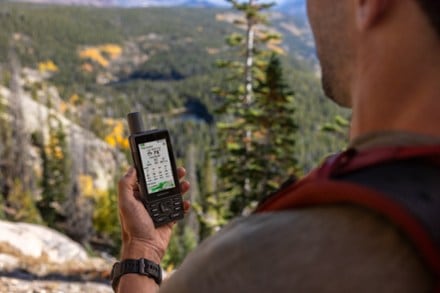
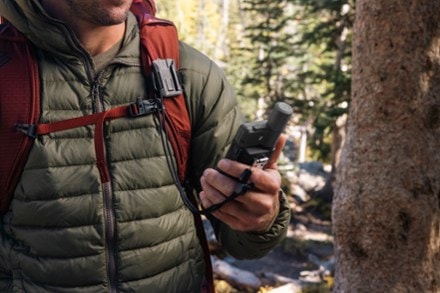
                I purchased the 550t for a Boundary Water (canoe trip) trip. I downloaded the MapSource trail maps, also auto navigation maps. The 550t is very easy to use, however, this product has many features, functions, and takes some getting use to. It's cool, how you can plan out a trip on the PC, and load it. I used the camera a lot and was great for telling our stories later (upload photos to Apple computer). I had read about the battery life and thus fully prepared for short life, and poor screen visibility. however, I was very pleased with the lithium performance=longer run and as for the screen, I can't complain. i could read it, maybe not as good as some others, but i'd take my Oregon over those any day. In a few words, this product has a wide breath of functionality it takes some time (play with it) to get educated with it. Finally, the reason I'm giving it one less star is, I think the USB port should be able to charge the batteries (NiCad's), or come up with a way to have a power source that can be recharged by solar, USB, cigarette lighter, etc. :)
                • Gift:
                • No
                • How are you with directions:
                • Bad w/Directions

                (1 of 2 customers found this review helpful)

                 
                2.0

                Great GPS, Lousy Camera

                By Rod Miller

                from Palo Alto, CA

                About Me Casual User

                Site Member

                Pros

                  Cons

                  • Camera

                  Best Uses

                  • Hiking

                  Comments about GARMIN OREGON 550T GPS:

                  I found the display to be inconsistent. Sometimes it was very visible in direct sunlight, other times it was poor. My purchase decision was based upon having a GPS and camera in one box, saving weight and bulk. However, the camera was difficult to use, and worse, took terrible pictures. Trees in the distance where recorded as pyramids of squares, and the edge of mountains against the sky was a bold black line. There is no way that kind of image quality works for me. With a great deal of guilt for not having understood the limitations of a 3 megapixel camera, I returned the camera to REI for a refund.[...]

                  • Gift:
                  • No
                  • How are you with directions:
                  • Great w/Directions

                  Displaying reviews 1-9

                  Back to top

                  Garmin Oregon 550t GPS Related Items

                  Join REI and Enjoy the Benefits

                  Members are eligible for an annual refund on qualifying purchases. Plus, they enjoy many more benefits. Get a lifetime membership for $20.

                  Add an REI membership to my order.

                  How are we doing? Give us feedback on this page.

                  • Shopping Cart 
                  • |
                  •  
                  • Buy REI Gift Cards
                  • REI Gift Cards
                  • Fast, easy and one size fits all.
                  • Buy now!
                  • Join REI today!
                  • REI Membership
                  • REI member benefits include an annual refund (typically 10% on eligible purchases).
                  • Join REI today!
                  • Sign up for REI Gearmail®
                  • and get 15% off selected items!
                  • Store Locator
                  • Locate an REI store near you.