The REI Member Dividend
The REI dividend is a unique benefit of membership in the REI co-op. It's comprised of your member refund—typically 10% back on eligible purchases—and/or your REI Visa® card rebates.
Each March, active REI members and REI Visa cardholders who earned a rebate receive a refund in the form of an annual dividend notice.
Only active members receive annual dividend notices. To maintain your active status as an REI member, you need to make net merchandise or shipping purchases of at least $10 per year, unless you joined that year. Member numbers are issued in one name and only that person receives the member refund. Your number can be used by others in your family, but it cannot be transferred to someone else.
Questions? Call us at 1-800-426-4840 for more about your dividend or its redemption.
This item may be available in your local REI store.
FREE U.S. STANDARD SHIPPING Through February 20. No minimum purchase! Learn more
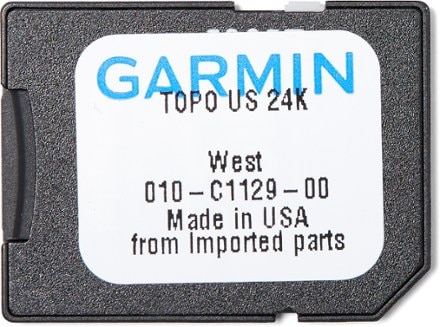
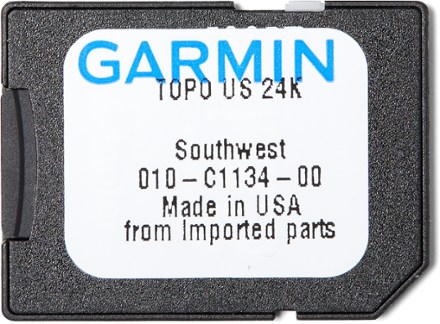
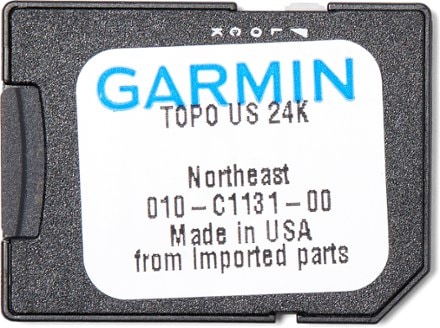
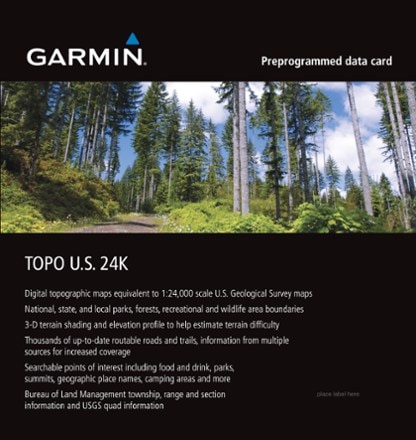
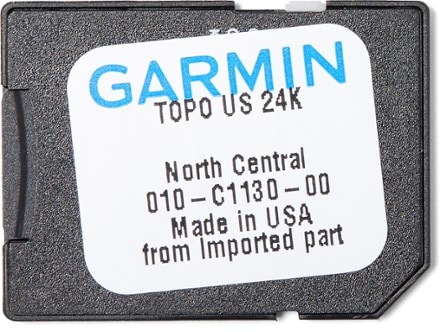
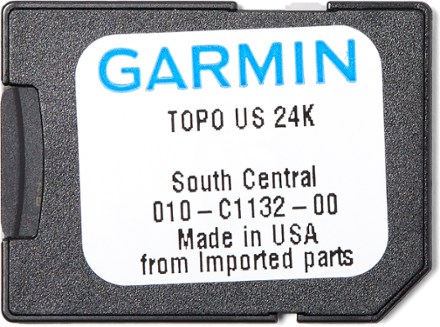
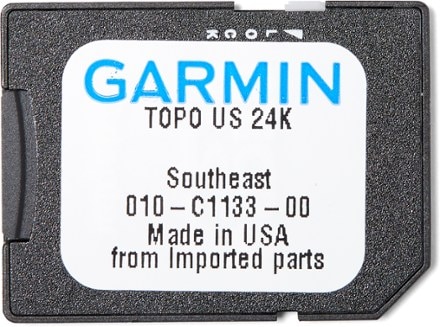
Compatible GPS Receivers: Astro, Colorado 300, Colorado 400c, Colorado 400i, Colorado 400t, Edge 605, Edge 705, eTrex Legend HCx, eTrex Legend C, eTrex Vista HCx, eTrex Vista C, GPSMAP 276C, GPSMAP 278, GPSMAP 376C, GPSMAP 378, GPSMAP 478, GPSMAP 60C, GPSMAP 60CS, GPSMAP 60CSx, GPSMAP 60Cx, GPSMAP 620, GPSMAP 640, GPSMAP 76C, GPSMAP 76CS, GPSMAP 76CSx, GPSMAP 76Cx, nüvi 500, nüvi 550, Oregon 200, Oregon 300, Oregon 400c, Oregon 400i, Oregon 400t, Rino 520HCx, Rino 530HCx, Dakota 10, Dakota 20
Made in USA.
Item 776889
| Specification |
| |
|---|---|---|
| Best use |
|
REVIEW SNAPSHOT®
by PowerReviewsPros
Cons
Best Uses
Reviewed by 8 customers
Sort by
Displaying reviews 1-8
Pros
Cons
Best Uses
Comments about Garmin TOPO U.S. 24K West DVD - West Coast and Nevada:
HOW TO USE GARMIN BASECAMPFIRST SOME PROS & CONS ABOUT BASECAMP: PROS: This is a really cool program. You can find any area on the map, blow it up to whatever size you want, print out a paper copy with UTMs and/or transfer the map to a Garmin (at least) mapping GPS, which shows you exactly where you are on the map, etc. It works great in general and is easy to use ONCE YOU FIGURE OUT HOW TO USE IT. Excellent tech support is available via email ([...]) or phone. It apparently works well on Mac (OSx 10.4 or later) as well as PC (I have it on Vista). CONS: NO INSTRUCTIONS EXIST (as of Feb. 2010)! It has many, but not all, of the trails that are on USGS or Trails Illustrated topo maps (although you can compensate for this by adding "tracks," perhaps with assistance from a topo map that shows where the trails are). Apparently route lines have to at least partially be on a trail or road; they won't necessarily go exactly how you want them to. Thanks to Garmin Tech Support for providing some of the following information.USING GARMIN'S BASECAMP DVD MAPOpening the program on your computer: After the program was loaded into my PC (which has Vista) I was able to access it by going from the lower left Start button to Programs to Garmin to then being able to select BaseCamp (with the other option available being MapInstall).When the program opens and map appears, to find the geographic area of interest: move the marker for the "+" and "-" scale on the left up or down to select the size of the map you want to see (zooming in or out), while using the "compass" on the left (using your cursor to work with the middle section that has a pointer for each direction), and/or using the cursor's "hand image" on either of the two map images that appear, to move the map up or down, to right or left. If you use the mouse/cursor to "left click" on the "N", "E", "S", or "W", or click/hold/drag on the outer ring of the compass, it will reorient the map, if that is desired for viewing or printing. If you have entered a waypoint on the map and that waypoint is not visible on the area of the map that you are viewing, but it is listed on the left end, you can click on the symbol or name on the left and that area of the map will appear. After you have played with these things for awhile, you will find it easy to locate the map area of interest, and you will get an idea of how really cool this map program is.About creating waypoints: You can create and save waypoints with your GPS and then transfer them to the map on your computer. You can also create waypoints directly on your BaseCamp map on the computer, in the following manner: Once you find an area on the map where you want to create a waypoint or waypoints, you can click on "File" and go from "New" to "Waypoint." (Or where you see an image in the tool bar at the top, of either a waypoint, route, or track, you can use the mouse/cursor to activate the waypoint feature [or the route or track feature]. If the image shown is for a waypoint [a flag], click on it. If the image shown is for route or track, then click on the inverted triangle to the right of the word "New" to select waypoint.) With the waypoint feature activated, when you left click on a spot on the map, a waypoint will be created there and a symbol and number for it will appear on the left end of the screen. You can give the waypoint a name by right clicking (with PC) on the waypoint's number and selecting "rename". After creating the first waypoint you can continue to create more in the same manner. As long as you do not take the step to delete a waypoint, it seems to be automatically saved when you close the program, since it appears on the map when the program is started up again. To delete a waypoint, using the mouse, right click (with PC) on the waypoint name or number on the left end of the display screen and select "delete". If you right click (with PC) on a waypoint's name or number on the left end of the screen, the "properties" field appears, which (among other things) gives you the possibility of changing the waypoint's symbol to a different one by clicking on the inverted triangle to the right of the flag icon that is next to the word "symbol". You can turn off the waypoint mode by clicking on another toolbar symbol, like the "hand" for moving the map around. When you make waypoints on the computer map and transfer them to the GPS, they do not affect the allotted number of waypoints your GPS gives you, which only relates to waypoints you create with the GPS.Sending waypoints to the GPS: The MapInstall program will only send maps to the GPS, so other data (waypoints, etc.) is transferred through the BaseCamp program. With BaseCamp open, and the map with your selected waypoints on the screen, connect the GPS to the computer and turn the GPS on. On the left end of the screen, between "Library" and the list of your routes, should appear a "Devices" field with the name of, and an icon for, your GPS. Click/hold on a waypoint icon/name and drag it up to the GPS icon and "drop" it in. You will briefly see a little status bar showing the degree of transfer until it is complete. You can have a microSD with a map of any area in the GPS, or not have a microSD in the GPS at all, when you do this.About creating routes: You can create and save routes with your GPS and then transfer them to the map on your computer. You can also create routes directly on your BaseCamp map on the computer, in the following manner: First activate the route feature in the same way as described for waypoints. This allows you to draw routes between various points, with the cursor appearing as a pencil. Whenever you left click on the map screen it creates a "flagged" point which is one connection in the route. The lines you draw, however, appear as straight lines while you are drawing between each pair of points. It took me quite awhile to figure out how to end the process of route drawing without moving the pencil/cursor off the map page and actually closing the program. When you right click on the mouse (on PC) the process of making a route ends until you left click on a point on the map at which time the process resumes. One weird thing relates to when you are not creating a route on an actual trail or road. With some exceptions perhaps, as you create the second point the line is connected to, the straight line re-forms to go up or down to the nearest trail or road before going back up to the second point. You really just wanted a route going across country, but you end up with a route that takes you all over the place in order to utilize a trail or road. In other words, the route feature only seems to consistently work well or accurately when you are doing a route that follows a trail or road that is shown on the map. Perhaps there are some tricks to this part of the program of which I am not aware. Created routes are listed on the left side of the screen and you can right click (on a PC) on any of them and select "delete" to delete the route itself, or select "rename" to rename the route.About sending routes to the GPS: Use the same procedure described for waypoints.About creating tracks: A mapping GPS can automatically create "tracks" as you are hiking. A track appears on the GPS as a little dotted trail that shows exactly where you walked while the GPS was on. Tracks can be saved or deleted on the GPS. If they have not been deleted, they can be transferred from the GPS onto a map on the computer. You can also create tracks directly on the computer map in the following manner: In BaseCamp you activate the track feature in the same way as described for waypoints. This allows you to draw your own trail (or route) on the map that is more accurate and fluid than were you to use the route feature. The most fluid way to draw the track (on PC) is by holding the left click for the mouse as you drag it over the map to create the trail. You can also left click on separate points and a straight line (or lines) will appear to create the track between those points. You can leave track mode by right clicking the mouse. You can delete a track by right clicking on its symbol/name on the left of the screen and selecting "delete" (or select "rename" to rename the track).About sending tracks to the GPS: Use the same procedure described for waypoints.About the search feature (the image of binoculars in the toolbar along with the "Find," "near," and "containing" fields): You have to play around with the search feature to figure out how it works. It does not always work for me. I think there are some tricks to it I have not yet learned. If you initiate a search and what you want is accurately listed on the right side of the screen (perhaps along with other options), you can click on the location's name/address to reveal where it is located on the map, and then you can click on "show on map" to have the location shown in more detail. If you wish, you can also click on "add waypoint" to mark that spot on the map. (If you can not find what you want in this way, at least many locations can be found with a little patience by moving the map around and increasing or decreasing its coverage area.)About creating and using folders: With BaseCamp open and a map on the computer screen, to the left is a "Library" section with a "My Collection" folder. The folder will contain ALL of the waypoints, routes and tracks that you add to the map. You can create other folders, each of which will contain only the features you add to the map while the particular folder is open (with all of the features also being added to the "My Collection" folder). To create a new folder, click on File and go from New to Folder In Library. With a PC you can name the folder by right clicking on it with the mouse. Whenever you open one of the folders (by left clicking on it), its data is displayed on the map and at that point, if you wish, that specific data can then be transferred to your GPS. With BaseCamp open, you can delete or rename a library folder (except for "My Collection") by using your mouse's right click feature (on a PC).About transferring selected map areas from the computer to a microSD (which is connected directly to the computer with an adaptor): If you try to save map data onto the same microSD on more than one occasion, after saving the first map data, each successive "map save" erases whatever data had previously been saved on the microSD. It is easy to intentionally erase the contents of a microSD. Connect it to the computer's USB port and open the microSD. Right click [PC] on the Garmin folder icon/name and select delete.About printing out a paper map: (You can get water & tear resistant paper for printing maps at places like REI or through [@] or another website.) Once you have selected the approximate area you want to print out, drag down from "File" to "Print Preview" to see how the map will look on paper. It probably won't show all of the area that was on the screen, so you may need to move the map area around a little to print what you want. If you wish, you can move the map from the print preview screen with the cursor (with PC, hold down left click and move mouse), although it tends to respond slowly. Once the Print Preview shows you what you want, you can print it out while still in the Print Preview mode.As some reviewers have pointed out, the map does not have all the hiking trails that exist on the land or on USGS maps. However, you can add a trail to the map using waypoints and route lines or tracks, while perhaps working with a printed commercial topo map that shows you the trail you want to add. Thus you can make up for the map's insufficiency regarding trails.When you have made changes to a BaseCamp map and close the program, the changes seem to be saved on the program automatically (whereas MapSource gives you the option of using "save" to save the file to the MapSource program).USING GARMIN MAPINSTALL[...] The key is that you open MapInstall while BaseCamp is closed.(First add any desired waypoints, routes, or tracks, to the map of interest, with the Garmin DVD map/BaseCamp program. Then close BaseCamp.)Using an adapter, put a microSD in a USB port for your PC or Mac (or have the microSD in the GPS and connect the GPS to the computer's USB port).Open MapInstall (on my PC: "Start" > "Programs" > "Garmin" > "MapInstall")Follow the instructions from there – the process is very obvious and you are guided step-by-step, but here are a few pointers: Zoom in and out of the map until you find the area you want to transfer. Clicking on a map section on the screen selects it for transfer; if more than one section is on the screen, click on each one you want to transfer. Clicking on a map section a second time unselects it. With a little practice this process will be obvious and easy to do.MORE ABOUT TRANSFERRING DATA OTHER THAN MAPS FROM THE COMPUTER (WITH BASECAMP AND MAPSOURCE)You can transfer one or more map regions from the computer to a microSD that is connected directly to your computer. You can also transfer map regions from the computer to a microSD while it is loaded into the GPS and the GPS is connected to the computer. What neither my "eTrex HC series" manual nor the MapSource User's Manual tell you (!!!) is that waypoints, routes, and/or tracks that you create on the computer map can NOT be transferred to the microSD. They have to be transferred to the GPS itself. So if you hook the GPS up to the computer, and have a microSD card in the GPS, when you instruct the computer to transfer maps as well as waypoints, routes, and/or tracks, the map is saved on the microSD and the data besides the map is saved on the GPS. (Garmin Tech Support told me this, after I wasted a lot of time trying to transfer waypoints as well as my map selection onto microSDs connected directly to the computer.) If you have a map or map set on the microSD and the microSD is in the GPS, you can still transfer waypoints, etc., to the GPS from the computer without harming the contents of the microSD (as long as you are not ALSO transferring a map or map section[s], which would replace whatever map or map section[s] are already on the microSD). (When interfacing between the computer and the GPS, be sure the GPS is turned on and that the computer program recognizes the GPS. [For MapSource, see MapSource User's Manual, vJune 2008, p.7.])If you have waypoints (or routes/tracks) displayed on a map on the computer and transfer them all to the GPS, then add more waypoints (or etc.) to the same computer map file, that you want on the GPS, you can again transfer all of the displayed waypoints to the GPS. At that point, only the new ones will be added to the GPS (at least in the case of my Garmin HCx), since the other waypoints are already on the devise. (BaseCamp, of course, gives you the option of selecting individual waypoints/etc. to send to the GPS. Unlike with MapSource, you don't have to send all of the ones that have been created for a particular map file.) If – on the computer map - you change the properties of a waypoint that is already on the GPS (changing, for example, its name), and you again send that waypoint to the GPS, the renamed waypoint will transfer but the original version will still remain on the GPS (until you delete it) since the GPS perceives it as different from the changed version.TRANSFERRING MAPS (from the GPS/microSD) AND OTHER DATA (from the GPS) TO THE MAP PROGRAM ON THE COMPUTERTransferring maps from the microSD onto MapSource (from Garmin Tech Support): "You can transfer maps from the data card back into MapSource by checking the 'Maps' box when you connect the GPS [with the microSD in it] to the computer and select 'Receive from Device.' This will send the maps to MapSource and allow you to view which map segments are on the card. There is no way to do this in BaseCamp. And this can not be done with pre-loaded datacards."For information on transferring waypoints, routes, and/or tracks, as well as more information on transferring maps, to the computer, when using MapSource, see the MapSource User's Manual, vJune 2008, p.15.With BaseCamp is open, and you connect your GPS to the computer, waypoints, tracks and routes that are on the GPS automatically show up in the BaseCamp library. From there you can transfer them (drag and drop) to a folder that you create, which will keep them in BaseCamp after the GPS is disconnected from the computer.SAVING MAP FILES ON THE COMPUTER; BACKING UP; ETC.MapSource map files that you create with waypoints, etc., can be saved outside of the program (like in a folder on the desktop), using the program's File > Save As. (Then, if you wish, you can delete the modified map or change its name at the location of its name on the computer [using the mouse's right click feature for PC].) With BaseCamp you can do this by selecting File > Backup. Later, the first time you open BaseCamp by clicking on the name for the file that you saved on the computer, a dialogue box comes up (on a PC) with the message, "Windows Cannot Open This File." At this point, chose "Select a program from a list of installed programs" (click on "OK"), and then select BaseCamp to open the program. It will open up with the "My Collections" folder open showing all your waypoints on the program. Subsequently, when you open the program by clicking on the file name on the computer, the program will open automatically.Be sure to back up important map files that would be hard to replicate. If you think a map file that was on your program has been accidentally deleted, do a "search" on the computer to see if you can find it there somewhere.SOME INFORMATION ABOUT DELETING BASECAMP FILESLet's say you create a new folder on BaseCamp, then save it on the computer as a backup file, and then at some point later delete the folder on the BaseCamp program and close the program. If you then reopen BaseCamp by clicking on the backup file's name, when BaseCamp opens, the folder will NOT show up on the program. If you create a new folder on BaseCamp, then save it on the computer as a backup file, and then at some point later delete the backup file, the original folder will still be found on BaseCamp (at least that has been the case in my limited experience).(Some aspects related to intentionally or accidentally deleting map files from the BaseCamp program are still a mystery to me.)SOME INFORMATION ABOUT RENAMING AND DELETING MAPSOURCE FILESWhen you change the name of a MapSource map file where you had saved it on the computer, the new name doesn't show up on the MapSource program until MapSource is opened by clicking on the new file name on the computer (as opposed to opening the program with Start > Programs> Garmin> MapSource [with PC]). When you delete a map file on the computer (where it had been saved) and then open MapSource via Start > Programs etc. [with PC], the name of the file still appears on MapSource (when you click on "File"), but when you click on the name in the "File" menu to select it, a message appears saying it can't be found, and the name then disappears from the "File" menu when you close that dialogue box by selecting "OK".(There are aspects related to how file names show up or don't show up on MapSource that that are not discussed in the program's user's manual and that I don't understand. The manual does not do justice to the areas related to renaming, deleting, and saving MapSource files.)GPS (Garmin etrex Vista HCx) AND MAP USEWith a map on a MicroSD that is loaded into the GPS (with "Map Data" selected in the GPS' map menu): When you turn on the GPS it shows the portion of the map related to your location as well as a location marker (assuming you are located within the area of the map on the microSD). (If you are not located within the map on the microSD, and the GPS comes with a preloaded basemap that covers your location, the location marker will show where you are on the basemap.) (Note: some mapping GPSs will allow you to load a map directly into the GPS without needing a microSD.) You can use the upper 2 buttons on the left side of the GPS (Garmin HCx at least) to zoom in or out and when the GPS is turned off and back on, it comes back on displaying the last map size you previously selected. As you walk, with the GPS on, the locator indicating where you are on the map changes accordingly.I have been told that if you load a large map area into your GPS, it will be a little slower to work with than if you had loaded in a smaller map area.Something that I wish my GPS manual had mentioned is that when using the zoom in/out feature, where you locate your pointer on the map on your screen, using the "rocker" (on a Garmin HCx at least), determines the area that will be focused on for zooming. (I am referring here to a pointer that you can move around, not to what I call the location marker that shows where you are located on the map.) For example, if you located the pointer in the lower right corner of the map that is being displayed, then zoom in or out, that lower right corner is what will be centered and focused on. (It took me awhile to learn this. When I zoomed in and out with a map on my GPS screen it was confusing to see the map areas shift around so much. It made it almost impossible to focus on a specific area. Finally I realized this related to where I had the pointer.) To find a map on the microSD that is loaded into the GPS that covers an area within which you are not located: For example, if you have a topo map of SE Utah in the GPS that you want to look at, and you are in California……when you turn on the GPS and the map page appears, it will show where you are in California (if your location is on the GPS pre-loaded basemap). With the Utah map properly selected in your map menu options, you can zoom out more and more until you can see an outline of the states. Then you can use the rocker to move over to Utah. From there use the pointer/rocker and the zoom feature to find the map area you for which you are looking. Two other ways to do this that were suggested by Garmen Tech Support: (1) You can "turn off satellites and relocate the GPS position to an area within the detailed map segment. To do this, go to the Satellite Page > Menu Button > Use with GPS Off > Menu Button (again) > New Location > Use Map > Use the click-stick (rocker) to pan to the area where you know there is detailed map coverage > Press Enter (the click-stick). Now the device believes you are in this area and you can zoom in and out to see the detail." (2) An easy way to find a distant map area in the future is to place a waypoint there in the GPS, then you can locate the waypoint in the "Find" menu, bring up the data on the waypoint, and select "view on map" [or, with my GPS, just "map"] to show that map area on the screen.MAPSOURCE VS BASECAMP; MAPSOURCE INSTEAD OF BASECAMPSince beginning to study BaseCamp I have downloaded MapSource for use with a map CD that covers Utah, and explored MapSource some. MapSource is more user-friendly and it is easier to figure out how to use most of its aspects without a manual than is the case for BaseCamp. Unlike MapSource, BaseCamp prints out maps with UTMs, which is really nice. On the computer screen (and printed map), BaseCamp shows you a small map in the corner of the screen or page which gives you an idea of where the map area you have selected is at is in relation to a larger area. A printed BaseCamp map also shows you true north and gives you the geographic area's declination. I am sure BaseCamp has other advantages as well. (Unlike BaseCamp, MapSource comes with a user's manual, although I still had to figure out some things it does not discuss.) Both programs print out maps that have a distance scale. One neat thing I discovered about a Garmin BaseCamp DVD map is that if you have a current version of MapSource (which can be downloaded from garmin.com), you can work with the map with either MapSource or BaseCamp. (In the toolbar section of the MapSource screen, in the upper left corner, to the left of the "+"and "-" zoom features, is a little field for selecting maps that have been loaded onto the computer.) If you want to use the simplicity (and user's manual!) of MapSource, it is nice to have the option to do so.
Pros
Cons
Best Uses
Comments about Garmin TOPO U.S. 24K West DVD - West Coast and Nevada:
I bought this product for wilderness use so that's the focus of my review. I'm sure it's a great product for street navigation. After using Nat Geo Topo for several years, this product needs a lot of work. It's missing trails, doesn't show important features like powerlines, wilderness boudaries (even though the REI description says it does). My one dollar highway paper map shows all the wilderness areas, powerlines, and tons of detail that are missing from this product. The "shaded relief" display is very poor. For this much money, I was expecting very high quality. I disagree with Garmin's marketing plan to lock thier devices to only their mapping software. You always get a better product when there is competition. I would not recommend this product but it's the only thing that works on the 60csx(awesome product)so your stuck.
Pros
Cons
Best Uses
Comments about Garmin TOPO U.S. 24K West DVD - West Coast and Nevada:
I bought the software with high hopes. This product turned out like all other Garmin software products. The maps look like their drawn with crayons, the functions are ultra basic and the overall design looks like it was done by some guy in his garage. Come on Garmin, you make the best GPS's in the world...why can't you figure out software??? I returned the software and bought the National Geographic Topo for Washington. WOW...what a great product!! The maps are incredible and the program functionality is great! With this software you can only download the waypoints, tracks and routes but this is all you need to stay on course. A printed out map serves to show all topo and features. You should always carry a map anyway! So I use the map and refer to my GPS and BANG! i'm off bushwacking and heading out up the the mountain where there are no trails.
Good job Nat.Geo. way to stay ahead of the pack!!
Pros
Cons
Best Uses
Comments about Garmin TOPO U.S. 24K West DVD - West Coast and Nevada:
I have always had to stick up for garmin's Mapsource when I would hear people say how terrible it was to use on a pc. I would explain that sure it sucks on the pc but its great on the gps. I would brag to them how garmin would use accurate map datum and all the old and current trails and roads were included on the program. Other gps software lacked in this category.
When I found out that garmin was making a new program that was at a 24k resolution I was excited.
I bought it, loaded it up on my gps map 60csx and hopped on the bike and cruised around town to check out the new features. Awesome I thought. This program even doubles as a city navigator and allows the unit to give turn by turn directions. What a bonus I thought. I took it hiking and set up a route by just dragging the cursor from point a to b and clicked goto. The unit asked if I wanted to follow trails/roads or straight line. I chose trails and it highlighted the trails and took me there. Great!!
Now for the real test. A dirt bike, or should I say hiking so that some people don't get all butt hurt, trip to northern Nevada and southern Oregon. MY friend had set up some routes and was leading the way. A few miles into the trip we wanted to go up a side road and check something out. I looked at my gps and asked what road? He said the one up a few hundred feet. I told him that my gps with the new program didn't show a road. Hmmm, weird. I thought maybe it might just be a fluke but no. Turns out that a lot of back country roads, trails, landmarks, etc are not on garmins 24k but these features were on mapsource.
I went hiking in the sierra nevada and sure enough there were more trails and roads that are on the usgs topo maps but not garmins newest mapping software.
What a joke. I am so disappointed that garmin went backwards with this and chose to use some junk datum for their newest software.
So if you want the newest and most expensive stuff then buy this but if you want your gps to do what it is supposed to do then buy the older mapsource program and not the 24k. The 24k will get you lost if you depend on your gps to get from a to b.
Pros
Cons
Best Uses
Comments about Garmin TOPO U.S. 24K West DVD - West Coast and Nevada:
The dvd installed, but it does not have any useful manuals. There is some information in the help as to how to install it and the basic things. No info whatsoever as to the usage. I wanted to download N CA maps to my Oregon 450 since it had lots of storage space left but it does not tell how to select an area to download or what or give info to the usage. Garmin has no info online either. The maps look awful compared to my National Geographic TOPO maps. I will return them since they are of no use, as other people mentioned in their reviews.
Pros
Cons
Best Uses
Comments about Garmin TOPO U.S. 24K West DVD - West Coast and Nevada:
Garmin locks the software to your serial number. If you break or lose your GPS and buy a new one, prepare to buy the software again. Also, if you buy a new computer, reload your OS or any number of other changes, you will need to call Garmin to unlock. Map set has many errors that result in routing issues.
Pros
Cons
Best Uses
Comments about Garmin TOPO U.S. 24K West DVD - West Coast and Nevada:
I purchased this software to load on the Oregon 450 that I bought. I loaded the software on my PC and started playing around with it. It was not obvious at first how to use any of the software, but with only a few minutes with it and 'Help' I was able to to get some maps loaded on my GPS and could set waypoints and routes in BaseCamp.
My first successful route was Whitney Portal to Mt. Whitney via Trail Camp and Mt. Muir. The route distance much shorter than expected (8.7 miles vs. 11 miles actual) and the estimated time was less than 3 hours (normally the round trip is 10+ hours with most of the time doing the ascent). I figured the software would be wrong on distance since switchbacks tend to throw trail distances off. I also figured that I needed to change speed settings for walking to get a better time estimate. There is a screen to change autoroute settings, but apparently one can only change average speeds for driving as the pedestrian mode had all settings grayed out.
I then looked closer at various details on the trip. Mt Muir was listed as a less than 14,000 ft peak, and Mt Whitney is likewise listed as significantly shorter than other sources list it.
As I mentioned these issues to my girlfriend, she suggested I check out a few other areas that we are very familiar with. So I scrolled down to the Cottonwood Lakes/Mt Langley/Horseshoe Meadows area. To my great surprise I saw roads across Cottonwood Lakes. One of the roads is shown as perfectly straight from Cottonwood lakes to South Lakes, another has a long straight section across a small cliff. Just to be clear, the roads do not exist and are impossible to be where they are shown, even a hiker needs ropes, cams, and 5.7+ climbing skills to traverse some of the places where it shows roads. The trails are similar to old USGS data, but not the same. There are a couple trails shown in the lakes area that are not there, and it does not show a couple trails that are there.
Nevermind the minor annoyances the other reviewers mentioned, like visual quality and usability. The map data is sufficiently incorrect to be potentially dangerous to use in the backcountry. I am returning this product.
Pros
Cons
Best Uses
Comments about Garmin TOPO U.S. 24K West DVD - West Coast and Nevada:
Software installs easily, nice interface with Garmin GPS units. Software is fairly easy to use. Resolution is very good (not quite as good as the NG topos but for the people who adventure in several states, this is the way to go). The only negative is the time it takes to transfer maps to the GPS unit. Make sure you allow several hours if you are transferring a lot of data.
Displaying reviews 1-8
How are we doing? Give us feedback on this page.
FREE U.S. STANDARD SHIPPING No minimum purchase!
THE REI WINTER CLEARANCE: SAVE UP TO 50% On selected ski, snowboard and end-of-season clothing & gear. Shop early for the best deals