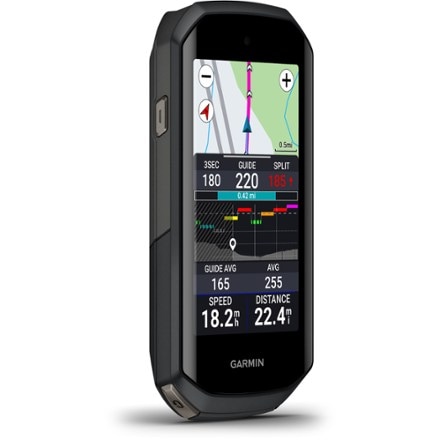
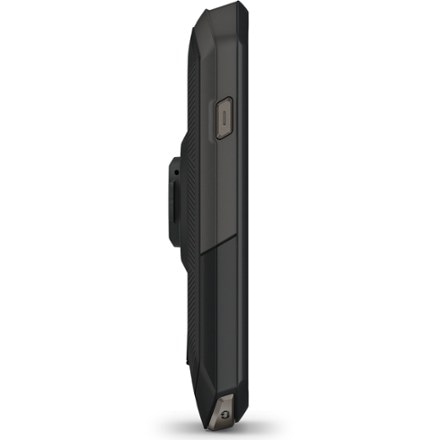
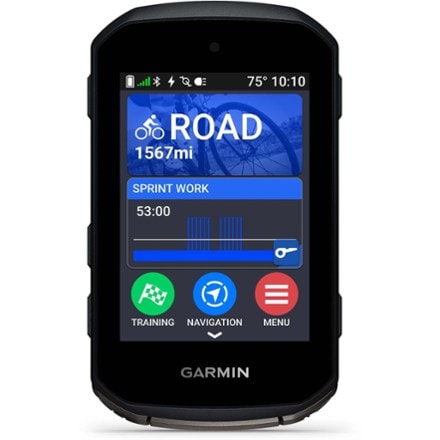
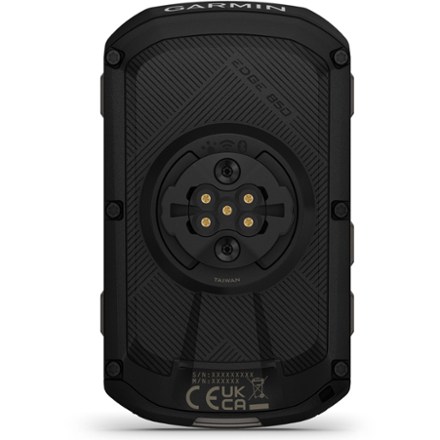
This item is currently sold out or unavailable online.
Or, may we suggest shopping for similar items:
This page is provided for reference to historical product information.
Please note: Garmin products can only be shipped to U.S. addresses.
Please Note: This item contains a lithium battery and cannot be shipped to APO, FPO, U.S. Territories, international destinations or Hawaii, and are only available for in-store pickup in Alaska.
Imported.
Item 810832
| Specification |
| ||||||||||||||||||||||||||
|---|---|---|---|---|---|---|---|---|---|---|---|---|---|---|---|---|---|---|---|---|---|---|---|---|---|---|---|
| Best use |
| ||||||||||||||||||||||||||
| GPS tracking | |||||||||||||||||||||||||||
| Heart rate display | |||||||||||||||||||||||||||
| Current speed | |||||||||||||||||||||||||||
| Maximum speed | |||||||||||||||||||||||||||
| Average speed | |||||||||||||||||||||||||||
| Speed comparator | |||||||||||||||||||||||||||
| Odometer | |||||||||||||||||||||||||||
| Trip distance | |||||||||||||||||||||||||||
| Auto start/stop | |||||||||||||||||||||||||||
| Stopwatch | |||||||||||||||||||||||||||
| Countdown timer | |||||||||||||||||||||||||||
| Clock | |||||||||||||||||||||||||||
| Alarm | |||||||||||||||||||||||||||
| Lap timer | |||||||||||||||||||||||||||
| Cadence | |||||||||||||||||||||||||||
| Dual bike memory | |||||||||||||||||||||||||||
| Altimeter | |||||||||||||||||||||||||||
| Temperature | |||||||||||||||||||||||||||
| Target zone indicator | |||||||||||||||||||||||||||
| High/low target heart rate | |||||||||||||||||||||||||||
| Exercise log | |||||||||||||||||||||||||||
| Illumination | |||||||||||||||||||||||||||
| Low battery indicator | |||||||||||||||||||||||||||
| Batteries | |||||||||||||||||||||||||||
| Wireless |
REVIEW SNAPSHOT®
by PowerReviewsPros
Cons
Best Uses
Reviewed by 13 customers
Sort by
Displaying reviews 1-10
Previous | Next »
Pros
Cons
Best Uses
Comments about Garmin Edge 800 Wireless Bike Computer:
I have had this GPS for more than 1 year and am an avid MTB and road biker. I was concerned that this GPS would have trouble in heavy wooded areas, mountains or cities. I have never had trouble with tracking. I use microSD chips for the topos and city roads and the mapping has not let me down. Yes, it would be nice if Garmin was benevolent enough to included every map you would want on this little thing, but that is a lot of data (spend the money, get over it). The courses take some getting used to and the altitude function can be a little squirrely. I wish that the temperature was displayable on the unit.
Another great feature of this is the Connect website where you can collect and analyze your rides. The map transfers are accurate and it is easy to share the routes. The process is easy and adds a great deal of value to the system.
Overall, it is a little pricey and a bit of a gee-whiz item, but I am happy that I spent the money on the unit and the maps. I would buy it again and I recommend it to my friends.
Pros
Cons
Best Uses
Comments about Garmin Edge 800 Wireless Bike Computer:
The Garmin 800 was an upgrade from the Power Tap Joule. It records the same data and works great with WKO.
You can add and remove data fields, with up to 10 per screen and up to 5 custom screens.
My only complaint is that some potential data fields, like Max Power per Lap is missing. That's a big one if you are doing sprint repeats and want to see your best power for each sprint. (surprisingly, they removed that in a firmware update).
Unlike the Joule, The Edge 800 does not let you view your best power for 5 sec, 1 minute, 5 minutes, etc. while you are riding. You have to wait until you download it to get those numbers.
Pros
Cons
Best Uses
Comments about Garmin Edge 800 Wireless Bike Computer:
This is the first online product review I have ever written, but I'm frustrated enough at this point that I need some means to vent. Maybe this is obvious to everyone else, but it wasn't obvious to me: this computer doesn't come with any maps installed. So when you are calculating the price, add ~$80 for maps. If that were the only issue with getting this thing started, I could live with it. But it's not. I went to the Garmin website and bought the appropriate map and then I attempted to download it to my Garmin. But it didn't fit -- it's too big for Edge 800's memory. So I emailed Garmin and after a bunch of back and forth, I learned that in addition to buying the map, I needed to buy an SD card. Another hoop to jump through...awesome! Rather than buy an SD card and install the map, I decided to return the first map I bought and get an SD card from Garmin with the map loaded. Easy, right? Garmin customer service sent me a link and I bought the SD card they recommended and tonight it arrived. But it doesn't friggin' fit!!! Turns out that I needed -- but Garmin customer support somehow missed this -- a micro SD card. So now I will have to work with the crack squad at Garmin customer support yet again, to return the map loaded SD card and get a map loaded micro SD card. The whole process is about 10x more complicated than it needs to be. Suggestion for Garmin: quit being so cute and just tell people what the Edge 800 costs up front, and give them the software they need to run it from the start.
Pros
Cons
Best Uses
Comments about Garmin Edge 800 Wireless Bike Computer:
I was happy with my 705, but lost it due to its not-too-secure bar mount. The 800 was the obvious replacement, and I was glad to see the greatly improved mounting system.
I had heard that the 800's display was hard to read, but so far I have not had any issues with this and have not felt it necessary to use the backlight. And the touchscreen makes it easier to use than the 705's buttons.
I am just a rider, not a racer, so can't comment on all the advanced training features.
Pros
Cons
Best Uses
Comments about Garmin Edge 800 Wireless Bike Computer:
I had the older 705 model and it was nice but I really wanted some of the newer features of the 800 so I figured I'd give it a try. There are a couple features I miss, the 705 had the buttons backlit which was great on night rides, the 705 beeps are also louder.
While I do like some of the new features and the menus are nice to navigate with the touch screen the screen visibility is horrible and that was a deal killer. Compared to the 705 where I can almost always see the screen without the backlight in most conditions the 800 is horrible to read. I believe it's part due to the higher resolution screen and the color choices for the screens, and the reflections from the very high gloss screen. I took them both out for a ride on a partly cloudy day so I'd get them in sun/cloudy and in the trees/open and the 800 was basically unuseable without the backlight on full power. In order to get the edge 800 to be anywhere near the 705 I had to put a anti-glare screen protector on and use the backlight at 100%, which kills the battery life. I almost never have to use the backlight on the 705 during the day and it's easy to see.
Returned it and went back to the 705, just wasn't willing to use a unit that I either had to deal with not being able to see, or loose the runtime with the backlight at 100% the whole ride.
Pros
Cons
Best Uses
Comments about Garmin Edge 800 Wireless Bike Computer:
I got this primarily to avoid having wireless sensors for the speedometer ( some get interference from LED lights, namely Shimano flite Deck). Strangely, I have the GSC10 speed and cadence sensor on all three bicycles. The GSC10 seems to have an awkard mount, but it does work very well with a nice strong signal to the Edge 800. But the sensor is not needed for accurate speed and distance measurement. Really only needed for cadence indication, if that is an important function for some. Haven't tried the heart monitor since I figure that if I am still conscious, my heart must be okay.
I am particularly impressed with the incline calculations. It updates very quickly even on short hills such a bridge ramps etc.
I like the touch screen for easy screen changes while riding. The Garmin Connect for uploading,storing, and sharing ride data is also nice. Haven't tried downloading any routes yet.
That said, I am not impressed by the map functions. It is very hard to read while riding, and manipulation of the map is best done while stopped. Scrolling around trying to find upcoming streets and turns is awkard since the touchscreen is slow to respond. Maps are expensive and not upgradeable without buying a new SD card. Guess I am spoiled by automobile GPS systems.
Battery life appears to be good, at least from my experience. It charges up quickly. Wish the battery was replaceable though and spares could be obtained.
Pros
Cons
Best Uses
Comments about Garmin Edge 800 Wireless Bike Computer:
I have owned 5 different Garmin GPs devices but I am very disappointed in this one for the price. It is not that simple to figure out and it is too expensive. At [$] you should not have to pay another $80 to buy the maps. I returned mine.
Pros
Cons
Best Uses
Comments about Garmin Edge 800 Wireless Bike Computer:
Navigation functions very limited. It only showed 3 major roads in my area, none of which a smart cyclist would ride. When I went onto the secondary roads (paved) I ride it did not show them. As a bike computer its OK, but as a navigation tool which is why I wanted it its terrible. I think I would be better served for navigation with an automotive GPS
Pros
Cons
Best Uses
Comments about Garmin Edge 800 Wireless Bike Computer:
I use the Edge 800 to track all of my road rides.
Its great to be able to review how far I rode, altitude gain and loss, speed, etc.
Mounted to the steering stem gooseneck, the angle makes it difficult to read. I inserted a wedge under the bottom edge to tilt it up a bit.
Pros
Cons
Best Uses
Comments about Garmin Edge 800 Wireless Bike Computer:
I'm not a road rider, so this review is geared towards you off road guys and gals. PC Interface not obvious. There are lots of Blogs out there on how to get this thing to sync to your PC. It's not just plug-n-play. Uploading to the Garmin web site is a cool feature, but make sure your hold the RESET button at the end of your ride. I had trouble getting it to SYNC to the website when I forgot to RESET. Downloading other rider's courses is a cool feature and will definitely help you find your way around new trails. That said, the MAP interface when following someone else's downloaded ride isn't the best. The GPS-screen alternates between telling you when the next turn is coming up and the actual MAP of the course itself. I'm a MAP guy and just want the dang screen to be able to lock onto MAP view. Combine that with the fact that the graphics processor isn't the fastest and the lost satellite coverage I experience when under a big canopy of forest trees, and it makes for a tough ride through the woods. That's why I recommended it for road riders and those folks who pedal off road through deserts. Touch screen is nice, but it's no iPhone. Just a head's up for you iPhone users. It's not the same. Price is a CON, because it's about $100 too much IMO. If you go the bundled route, wow, ouch. I liked how it mounted to my bike. My bars are aluminum and there are tons of rubber bands in the kit to allow it to fit on your bike just right. If you have carbon, make sure you mount it on top of the rubber saucers that are included in the kit (there are 2, one for each bike or a spare if you only ride one). WIRELESS means *wireless* for the HR monitor and the pedal cadence counter thingy. Not *wireless* for SYNC-ing to your PC, other riders, etc. Happy Trails :)
Displaying reviews 1-10
Previous | Next »
How are we doing? Give us feedback on this page.
REI Anniversary Sale May 17–27. Plus, members SAVE 20% on 1 full-price item with coupon code ANNV13. Details